Free Trial
This page provides information on activating and using your V-Ray Premium Free Trial .
Overview
The V-Ray Premium Free Trial activation consists of the following steps:
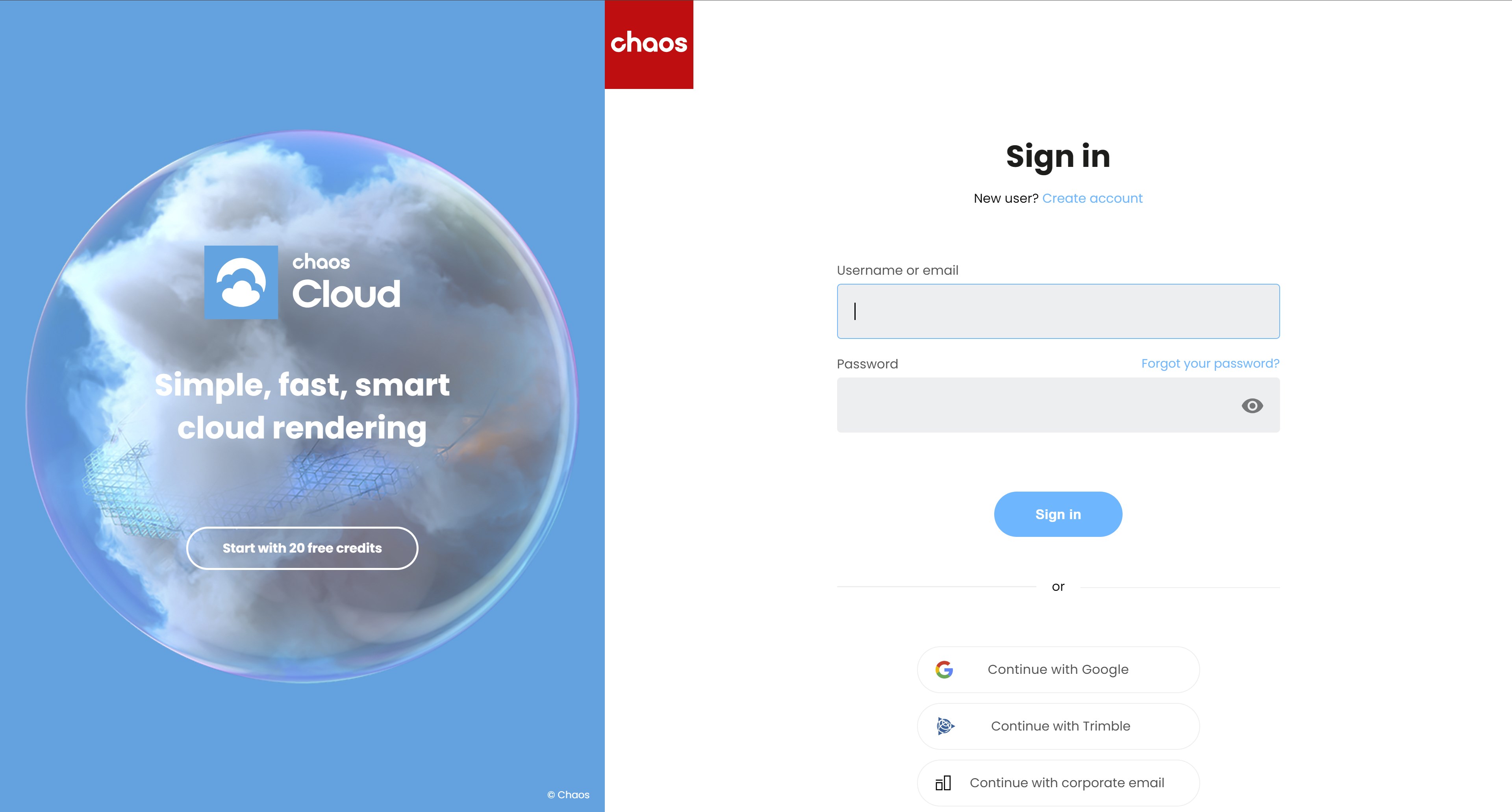
Sign in or create an account at www.chaos.com.
Start your trial at the Free trials page.
Download trial products.
Activate your License Server.
If you already have a commercial license, you are not eligible for the free trial.
V-Ray Premium Free Trial provides you access to the following products:
V-Ray for 3ds Max
V-Ray for Maya
V-Ray for Sketchup
V-Ray for Rhino
V-Ray for Revit
V-Ray for Cinema 4D
V-Ray for Unreal
V-Ray for Houdini
V-Ray for Nuke
Phoenix for 3ds Max
Phoenix for Maya
Chaos Cosmos
Chaos Scans
Chaos Player
1
Start Your Trial
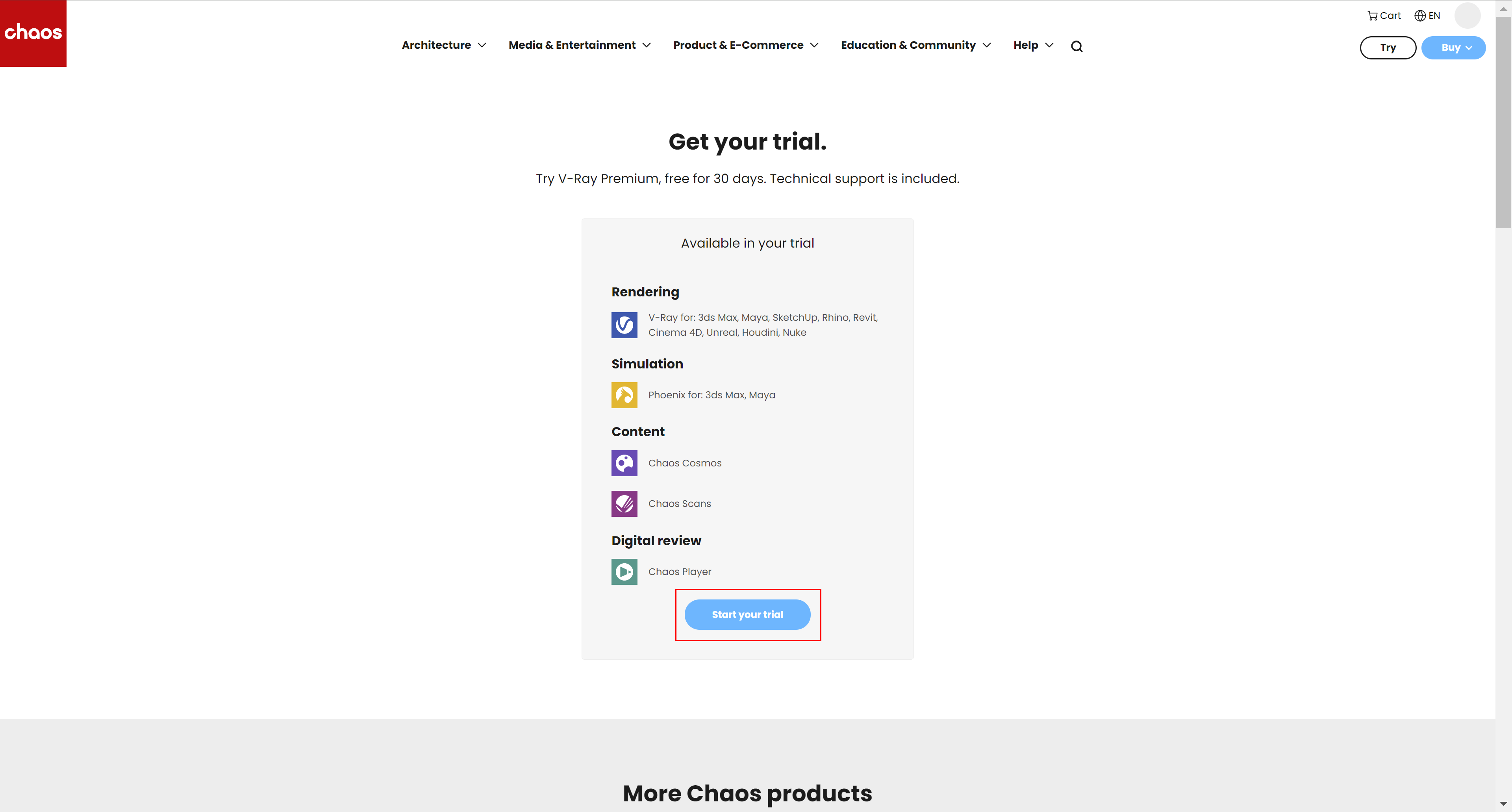
Go to the Free trials page or click the Try button on the Chaos main page.
Click the Start your trial button .
Confirm your email.
3
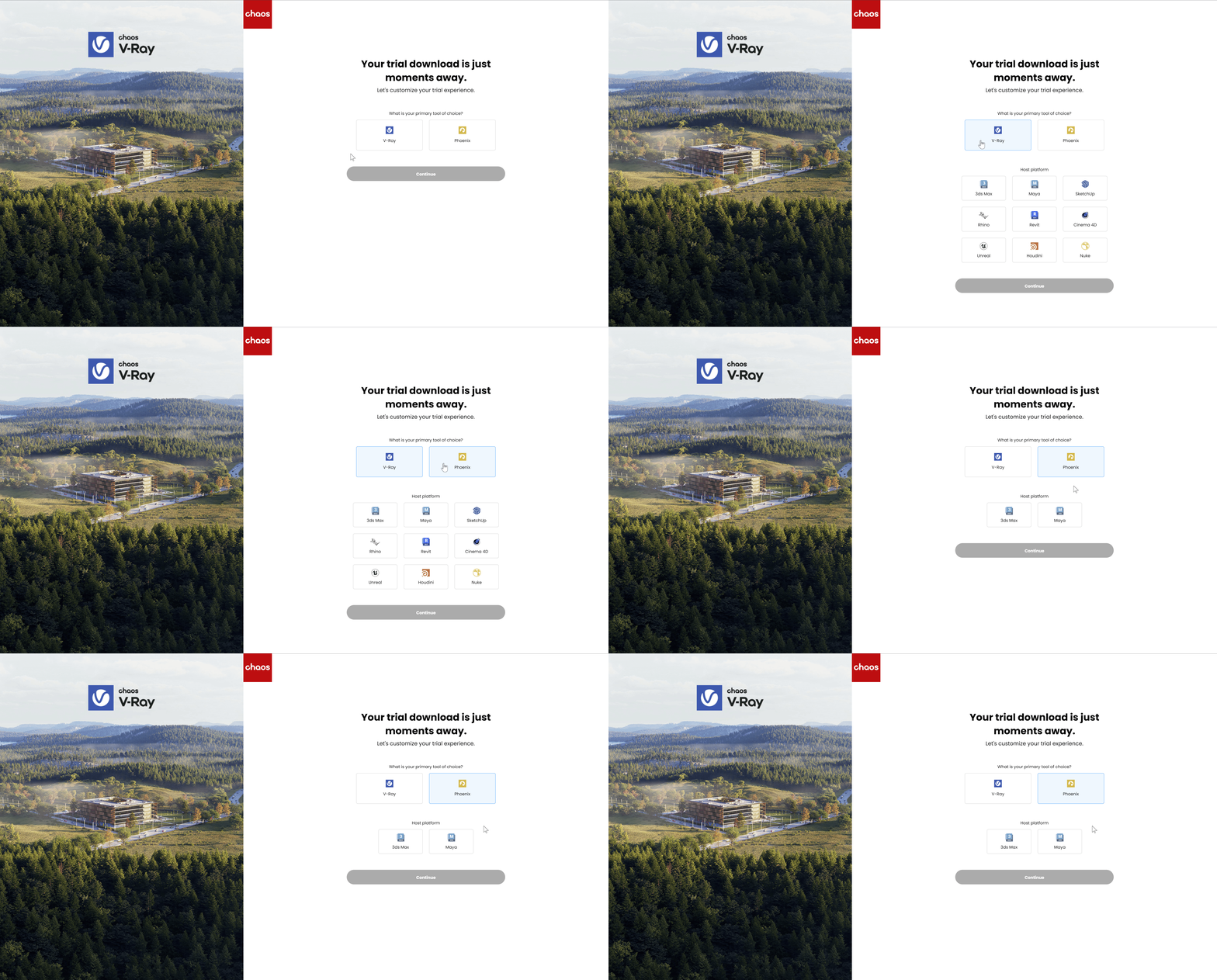
Select a Product
Select the product you want to try.
Complete the short survey.
Now, you can explore everything included in your free 30-day trial.
4
Download Trial Products
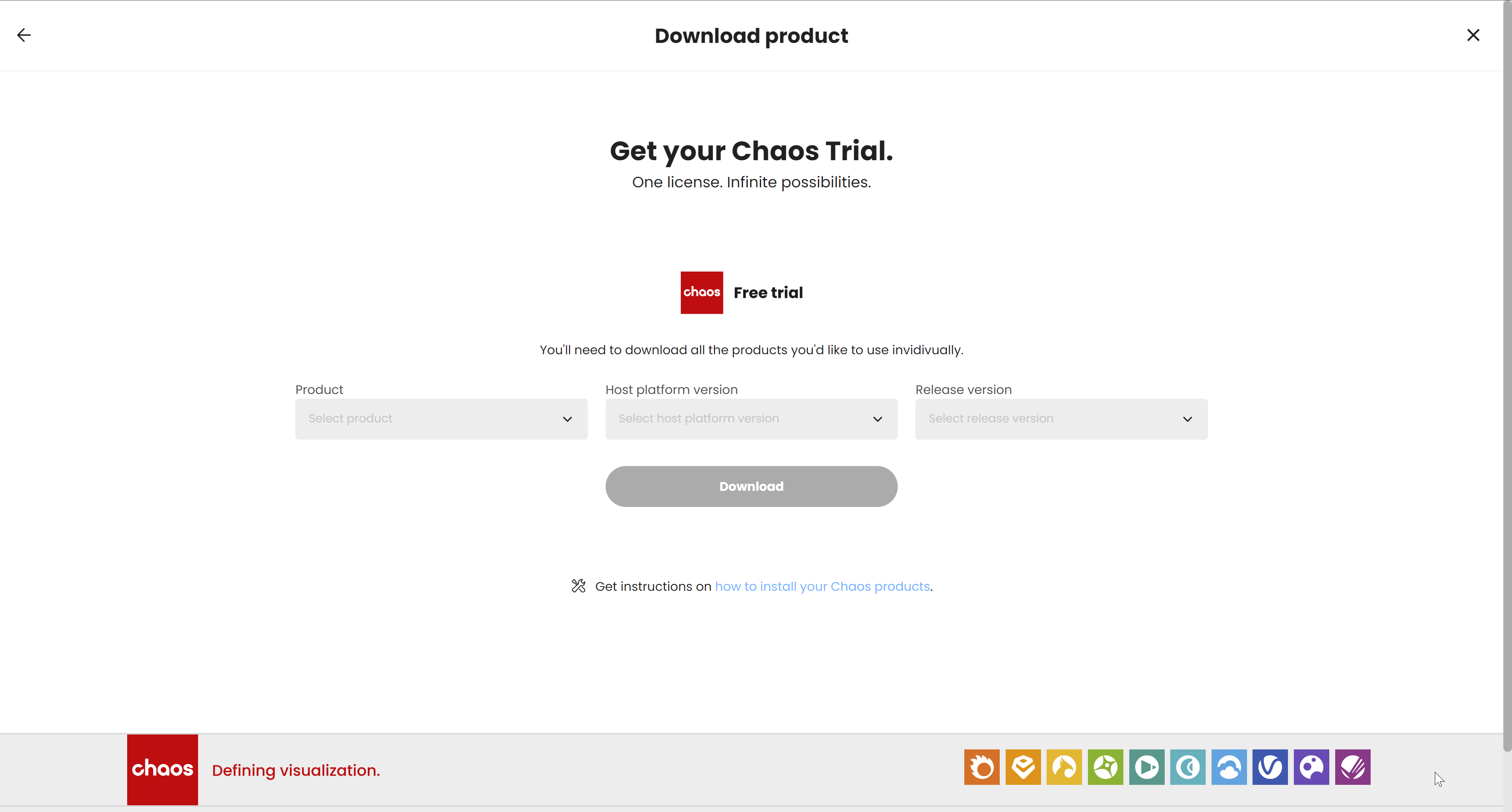
You are now directed to the My Chaos Download product page. Download all the products you want to test here.
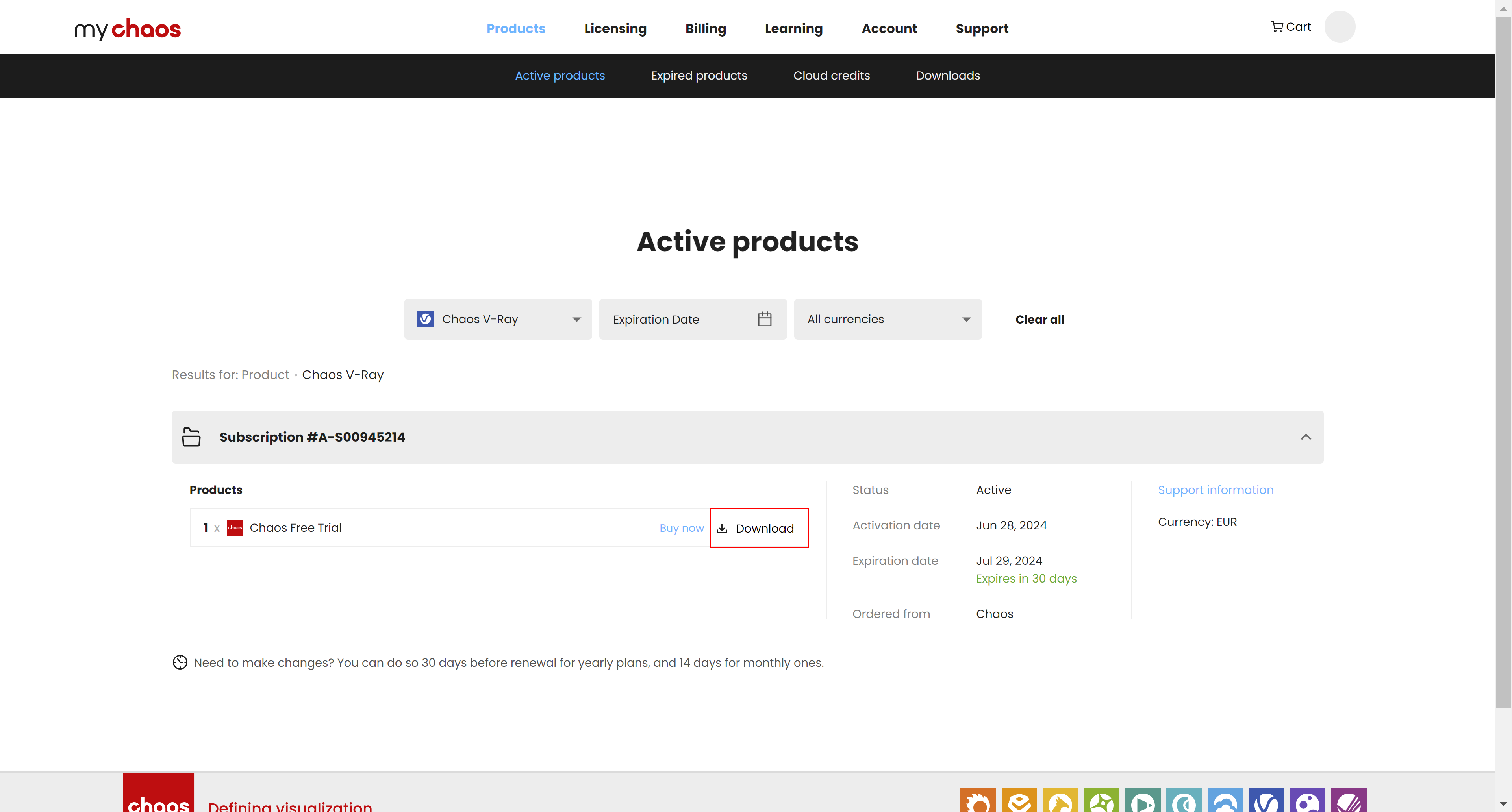
You can always download more products within the 30-day trial period from the My Chaos portal. Go to Products > Active Products > V-Ray Premium Free Trial > Download to download more products from this trial package.My Chaos Active Products
5
Activate Your License Server
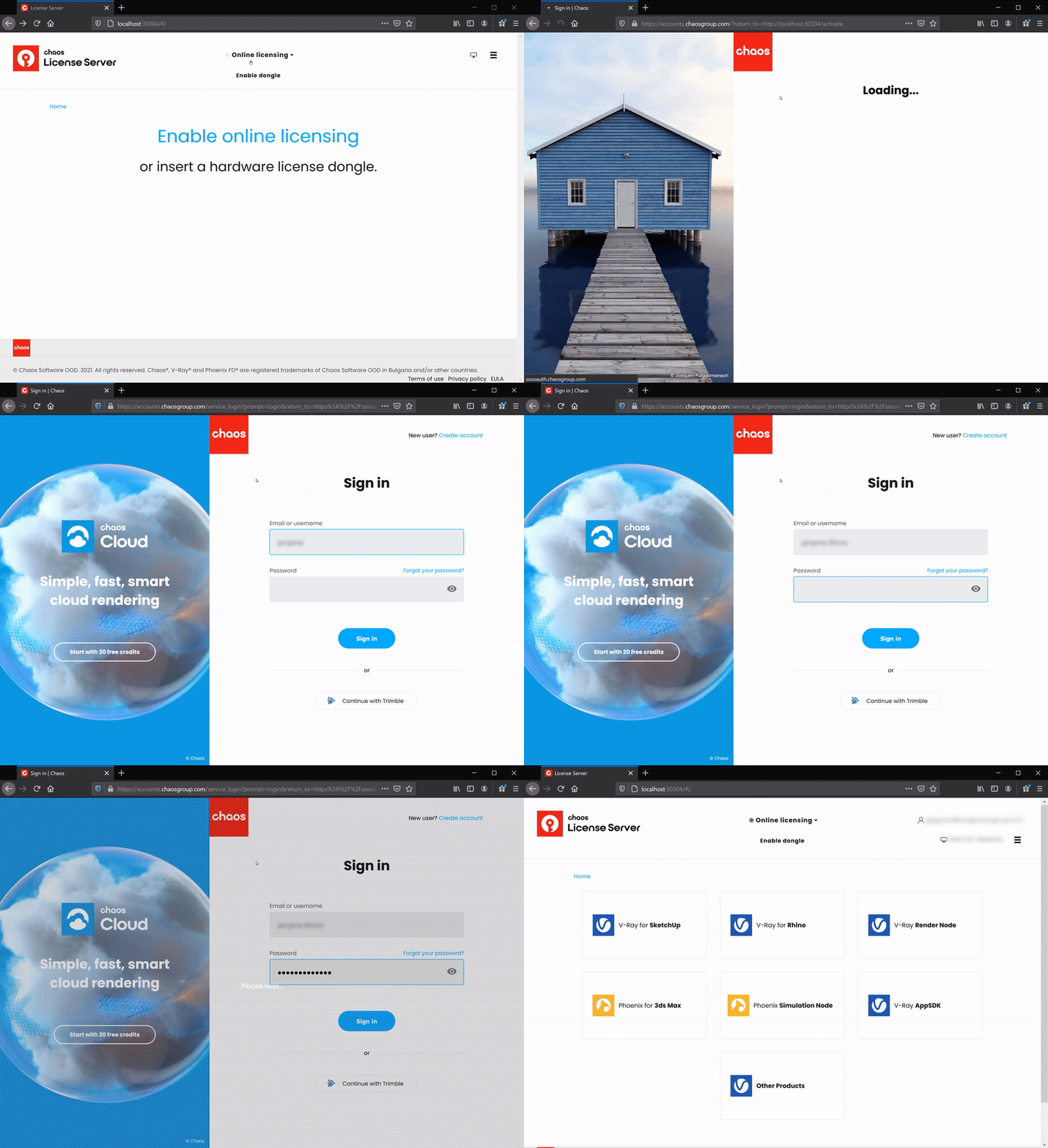
To run your product, you need to activate the licensing.
After installation, the License Server webpage opens automatically. You can also access it at localhost:30304 in a browser.
Sign in with your Chaos credentials.
Now you are all set and ready to use your Chaos Product.