GI tab
This page provides information on the GI tab of the Render Settings.
Overview
The settings under the GI tab control the global illumination for the scene.
UI Path: ||Render Setup window|| > GI tab (Renderer set to V-Ray)
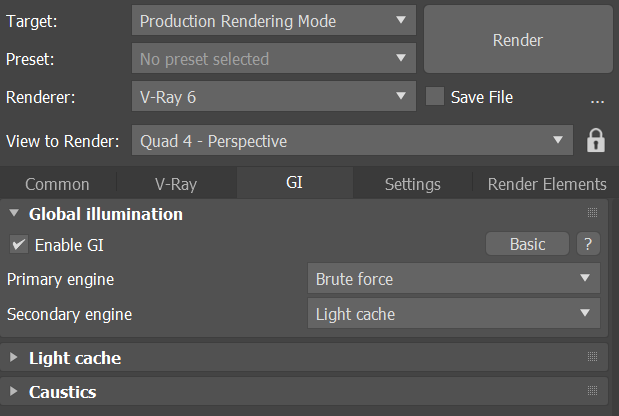
Rollouts
The rollouts under this tab include:
Global Illumination rollout
Controls GI settings and sets the primary and secondary GI engines. Determines which additional rollouts are exposed. Find out more: Global Illumination rollout
Primary engine rollout
Rollout for the Primary engine (Irradiance map, Brute force, or Light Cache). Find out more about each primary engine: Irradiance map, Brute force, and Light Cache
Secondary engine rollout
Rollout for the Secondary engine (Brute force, or Light Cache). Find out more about each secondary engine: Brute force and Light Cache
Caustics rollout
Enables and controls the rendering of caustic effects. Find out more: Caustics rollout