VRayPlane
This page provides information on the V-Ray Infinite Plane.
Overview
The VRayPlane implements a procedural infinite plane for V-Ray during render time. The source code of VRayPlane is also available as part of the V-Ray Geometry SDK.
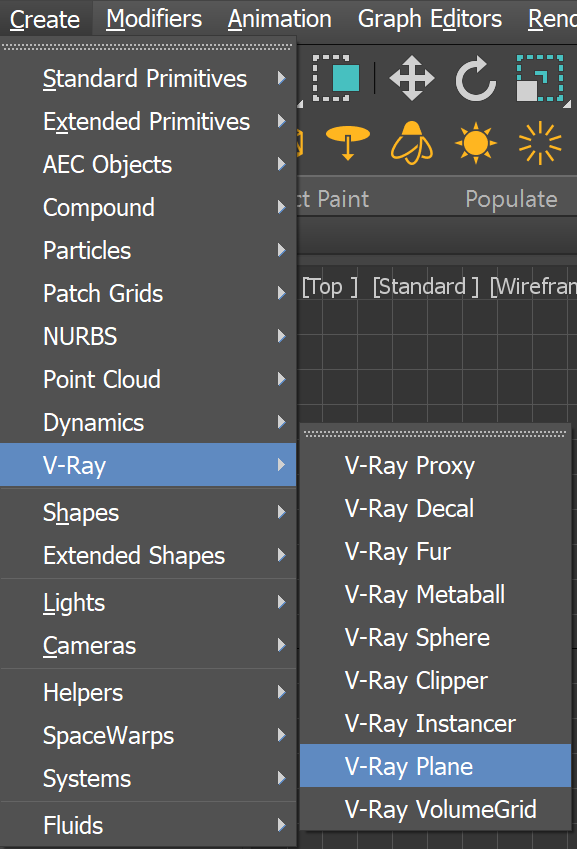
It can be created from the the VRay category of the Create tab.
UI Path: ||Create menu|| > V-Ray > V-Ray Plane
||V-Ray Toolbar|| > V-Ray Plane button

||V-Ray menu|| > Create > Geometry > V-Ray Plane
||Create menu|| > V-Ray > V-Ray Plane
||Command panel|| > Create tab > Geometry > VRay category > VRayPlane button
 The 3ds Max teapot sitting atop a VRayPlane.
Parameters
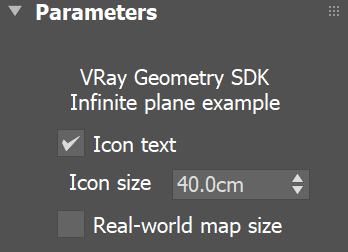
Icon text – Enables or disables the display of the VRayPlane text in the viewport.
Icon size – Specifies the size of the viewport gizmo in world units. This allows the gizmo to be static, regardless of its distance from the camera, or to be removed altogether.
Real-world map size – Enables VRayPlane mapping in actual scale, i.e. it matches the behavior of 3ds Max Real-World Map Size option. This is useful when importing Chaos Cosmos materials which use an actual scale. When disabled, VRayPlane has a fixed mapping in world space.
Notes
The position of the plane depends on its transformation in the 3ds Max scene.
You can have more than one infinite plane in the scene.
The plane is rendered with the material applied to the VRayPlane object.
Shadow maps do not include information about the plane object. However, other objects cast correct shadows on the plane, even with shadow maps.