VRayGlobalIllumination
This page gives an overview of the Global Illumination render element and explains how it is used in compositing.
Overview
The Global Illumination Render Element is a color image that stores indirect lighting information coming from reflected diffuse light in a scene (without direct light and reflection contributions) when Indirect Illumination is enabled. This element may be used directly in Back to Beauty compositing and adjusted for brightness and color to control the final image easily.
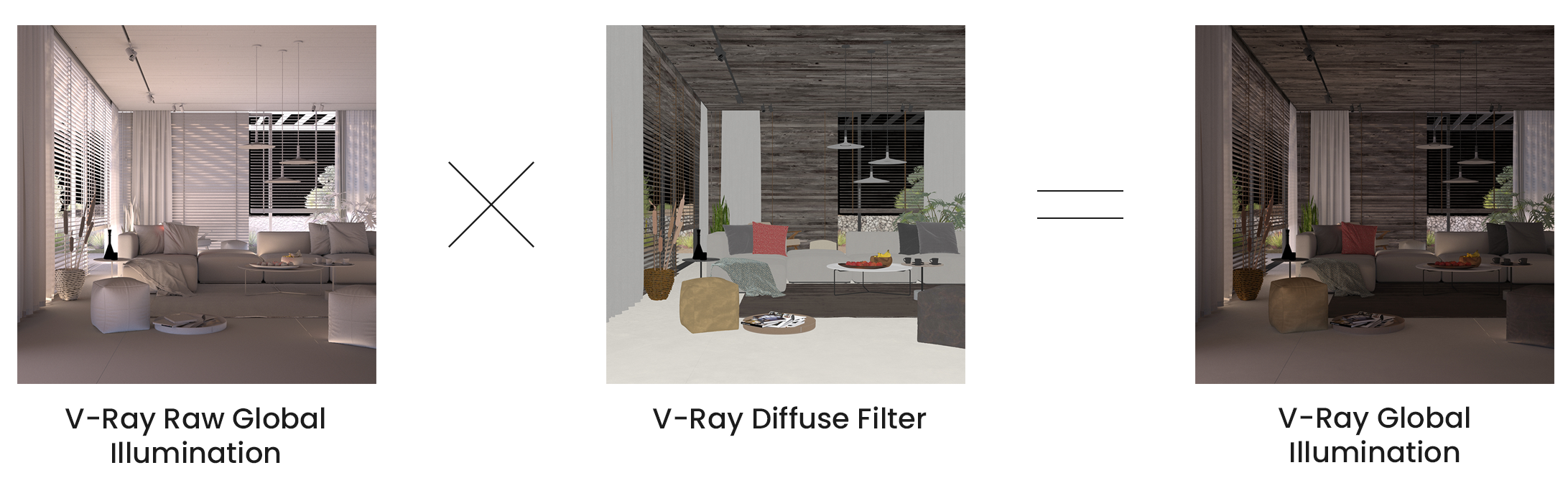
For even more control of indirect illumination without rerendering the scene, the Global Illumination render element may be re-assembled by multiplying the VRayRawGlobalIllumination Render Element by the Diffuse Filter Render Element:
VRayRawGlobalIllumination x VrayDiffuseFilter = VRayGlobalIllumination
Since V-Ray Next Update 1, some of the render elements are rendered differently than before. The Lighting render element now contains all direct diffuse illumination and the GI element contains all indirect diffuse illumination. Similarly, all direct reflections of lights now go to the Specular element and all indirect reflections go to the Reflection element.
Error rendering macro 'scroll-html-expand'
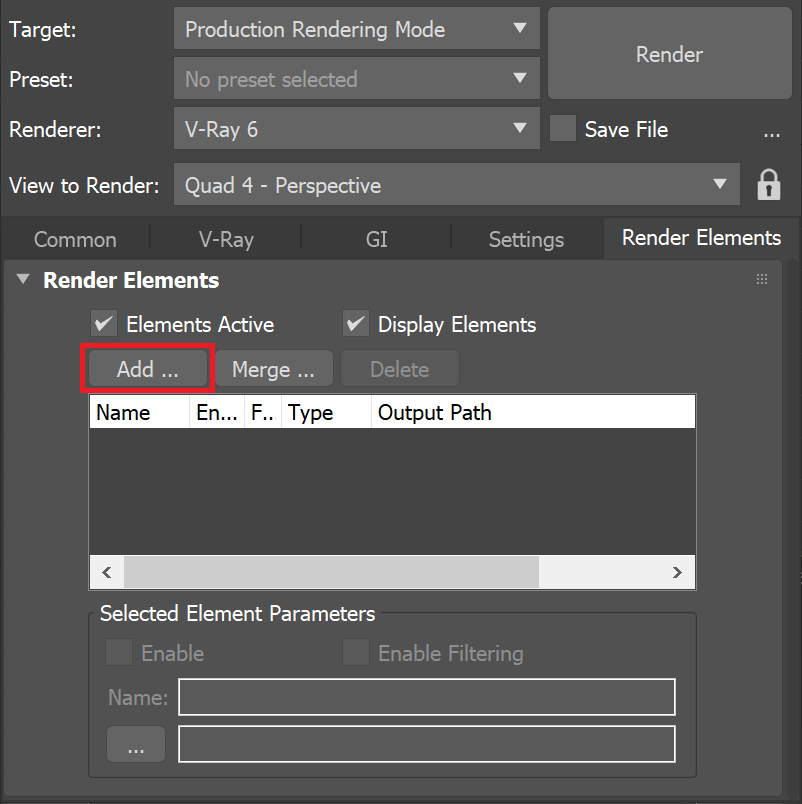
Problem executing proxy for macro 'expand'. Check the log.UI Path: ||Render Setup window|| > Render Elements tab > Add button > VRayGlobalIllumination

Parameters
This render element is enabled through the Render Elements tab of the Render Setup window in 3ds Max and displays its parameters in a rollout at the bottom of the window:
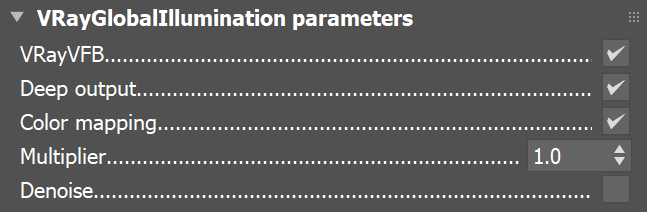
VRayVFB – Enables the render element inside the V-Ray Frame Buffer.
Deep output – Specifies whether to include this render element in deep images.
Color mapping – Applies the color mapping options specified in the Color mapping rollout (Render Setup window > V-Ray tab) to this render element. This option is enabled by default.
Multiplier – Can be used to amplify the element by a number value.
Denoise – Specifies whether to denoise this render element
Common Uses
The Global Illumination Render Element is useful for changing the appearance of Indirect lighting after rendering in a compositing or image editing software. See how a scene looks before and after compositing.BeforeAfter