VRaySamplerInfo
This page gives information about the Sampler Info Render Element.
Overview
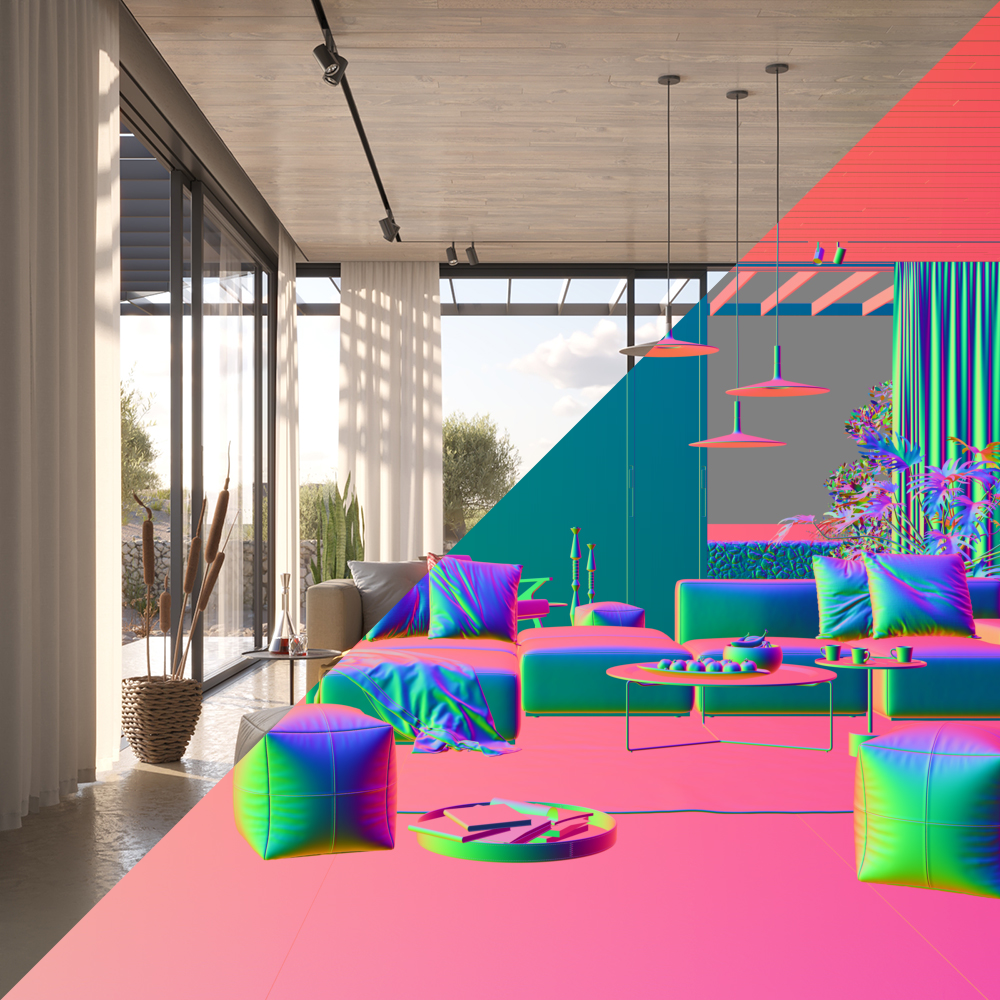
The Sampler Info Render Element is a color image that provides information about the scene, with the choice to show any of various aspects as color blocks. This render element p rovides information about various aspects of the shaded points such as position, normal, bump normal, reflection/refraction vectors and UVW coordinates. This render element can be used either for world position passes or normal passes. It extracts particular information about the scene, converting the gathered information into RGB data for use in compositing.
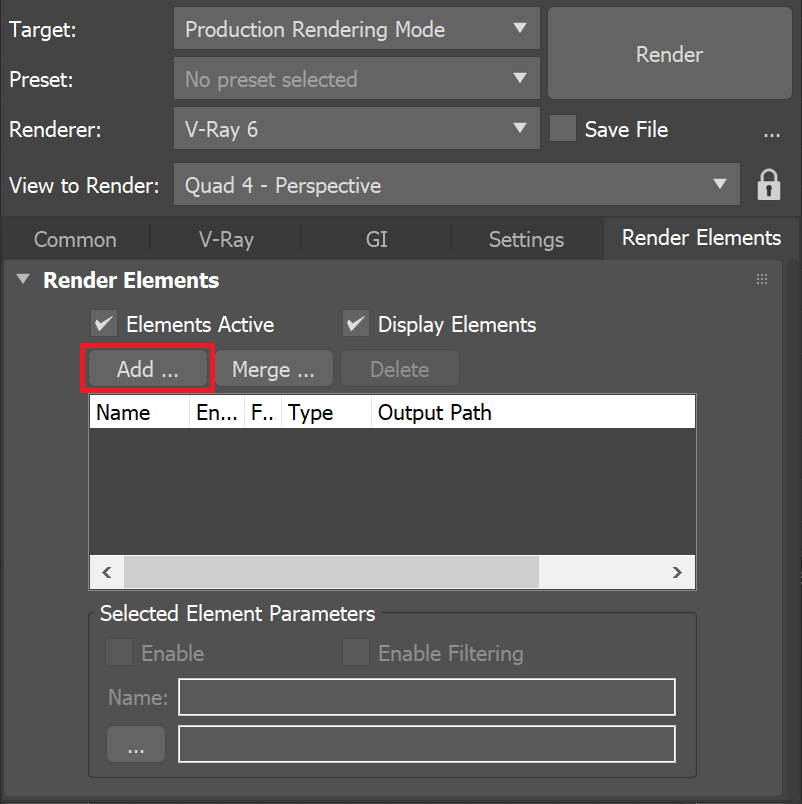
UI Path: ||Render Setup window|| > Render Elements tab > Add button > VRaySamplerInfo
Parameters
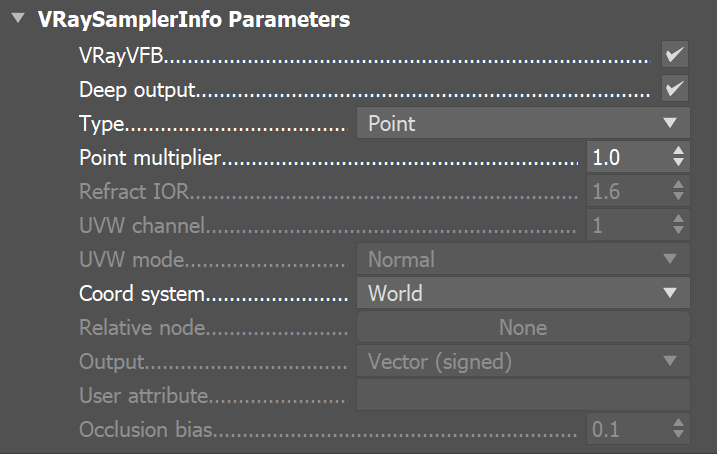
This render element is enabled through the Render Elements tab of the Render Setup window in 3ds Max and displays its parameters in a rollout at the bottom of the window:
VRayVFB – Enables the render element inside the V-Ray Frame Buffer.
Deep output – Specifies whether to include this render element in deep images.
Type – Controls the type of render element produced by VRaySamplerInfo:
Point – The X, Y, and Z coordinates of the point are converted to RGB data according to the Coord system that is set. This outputs a Position Pass for use in compositing.
Normal vector – The direction of the normal at the particular shaded point according to which Coord system is set.
Reflection vector – Commonly used for adjusting reflections in the composite.
Refraction vector – Commonly used for adjusting refractions in the composite.
UVW coordinates – Extracts the UVW coordinates of the object at the particular shaded point. This can be used to apply another texture at a composite level.
Normal vector with bump mapping – Produces the bump normal according to the Coord system that is set.
Backward occlusion – The red and green components of this render element represent the screen position of the shaded point at the beginning of the motion-blurred frame, while the blue component represents camera occlusion at the beginning of the motion-blurred frame. Together with the Forward occlusion render element, this can be used for denoising and/or post-process motion blur.
Forward occlusion – The red and green components of this render element represent the screen position of the shaded point at the end of the motion-blurred frame, while the blue component represents camera occlusion at the end of the motion-blurred frame. Together with the Backward occlusion render element, this can be used for denoising and/or post-process motion blur.
Integer ID from node user attribute – Extracts any integer node user property into an integer render element. Can be used as an extended Object ID.
Float number from node user attribute – Extracts any floating-point node user property into a single-channel floating-point render element. Can be used to extract additional masks.
Tangent vector in object space – Displays tangent vector according to the Object space.
Bitangent vector in object space – Displays bitangent vector according to the Object space.
Point multiplier – Acts as a multiplier when Type is set to Point.
Refract IOR – Sets the index of refraction when Refraction vector is set as the Type.
UVW channel – The UVW mapping channel used when the Type is set to UVW coordinates.
UVW mode – Specifies what happens to UVW values outside the 0.0-1.0 range of the unit texture square:
Normal – Stores the UVW coordinates without modification.
Clamp – UVW coordinates above 1.0 are clamped to 1.0, and values below 0.0 are clamped to 0.0.
Tile – Wraps the UVW coordinates to the unit texture square.
Coord system – Controls the coordinate system used:
World – X, Y, and Z coordinates (in world space) of the point are converted to RGB data.
Object – X, Y, and Z coordinates (in object space) of the point are converted to RGB data.
Camera – X, Y, and Z coordinates (in camera space) of the point are converted to RGB data.
Relative – X, Y, and Z coordinates in the object space of the Relative node are converted to RGB data.
Relative node – When Coord system is set to Relative, this specifies the scene node relative to which the point/vector data is stored.
Output – Controls the way data is stored in the render element when the type is a normal vector, or a reflection/refraction direction:
Vector (signed) – Values are stored directly without modification, including negative components.
Color (unsigned) – Values are scaled down by 0.5 and offset by 0.5 so that (0, 0, 0) maps to (0.5, 0.5, 0.5), (-1, -1, -1) maps to (0, 0, 0) and (1,1,1) maps to (1,1,1). This avoids negative values which might be necessary for some compositing packages.
User attribute – Determines which user attribute to connect to when Integer ID from node user attribute or Float number from node user attribute are selected as Тype.
Occlusion bias – Controls the positional bias of the Backward occlusion & Forward occlusion types in order to prevent incorrect self-occlusion.
Common Uses
The VRaySamplerInfoTex texture extracts particular information about the scene. It then converts the gathered information into RGB data that can be used for compositing. Here are examples of the types of data that can be extracted, and how that data is displayed in the render element.
The following examples have the coordinates system set to world space.
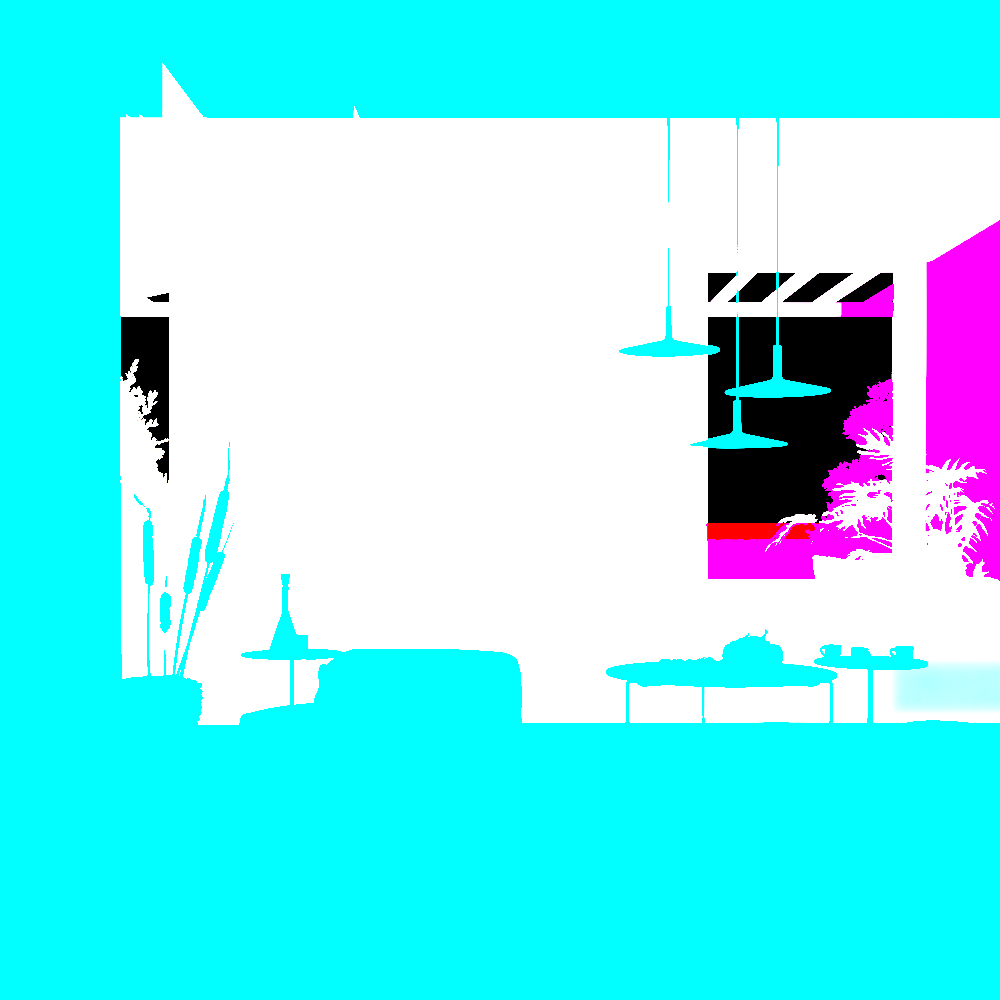
Point Type in world space
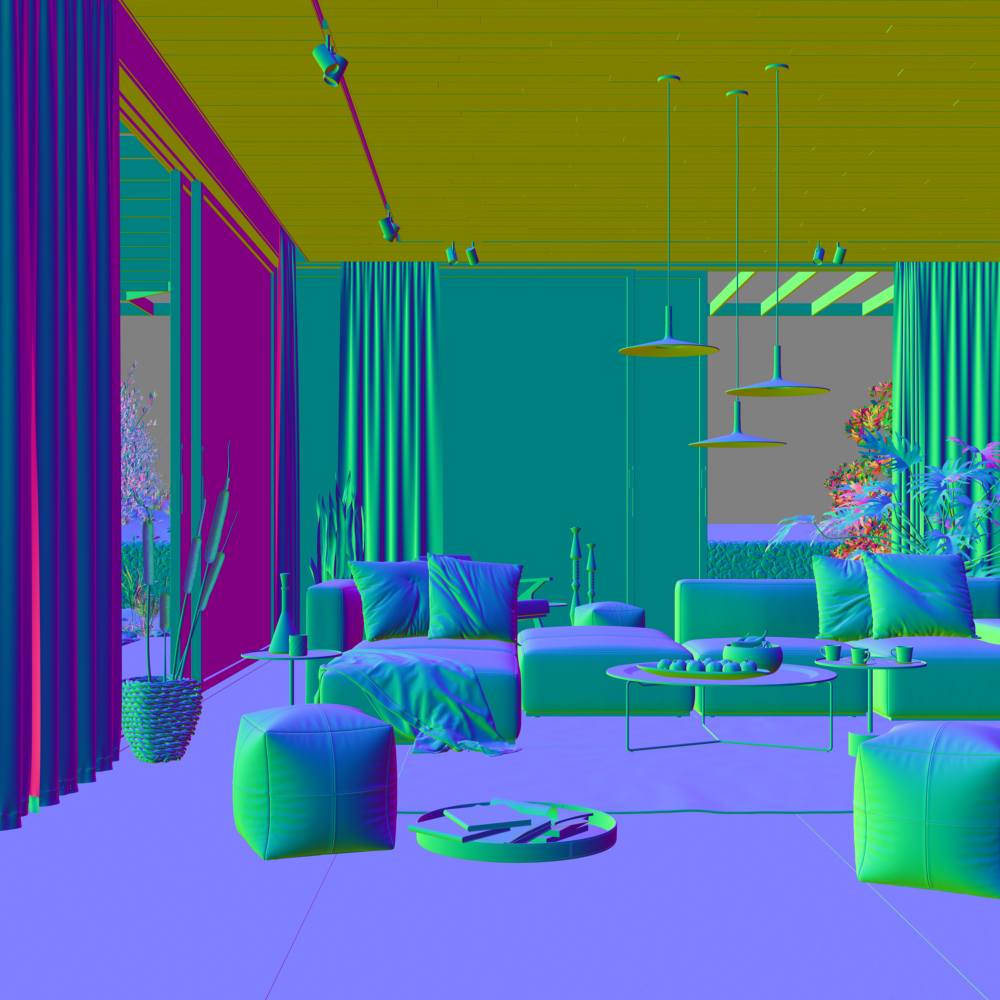
Normal vector in world space
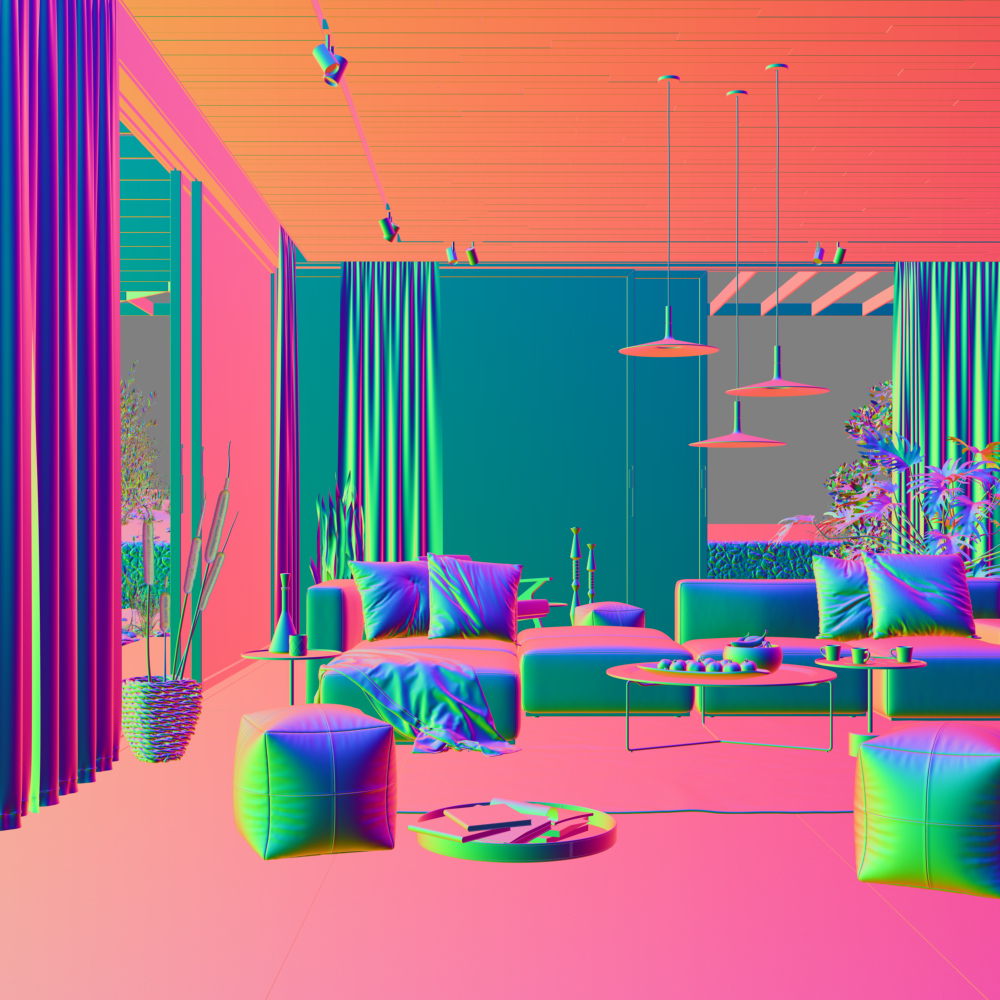
Reflection vector Type in world space
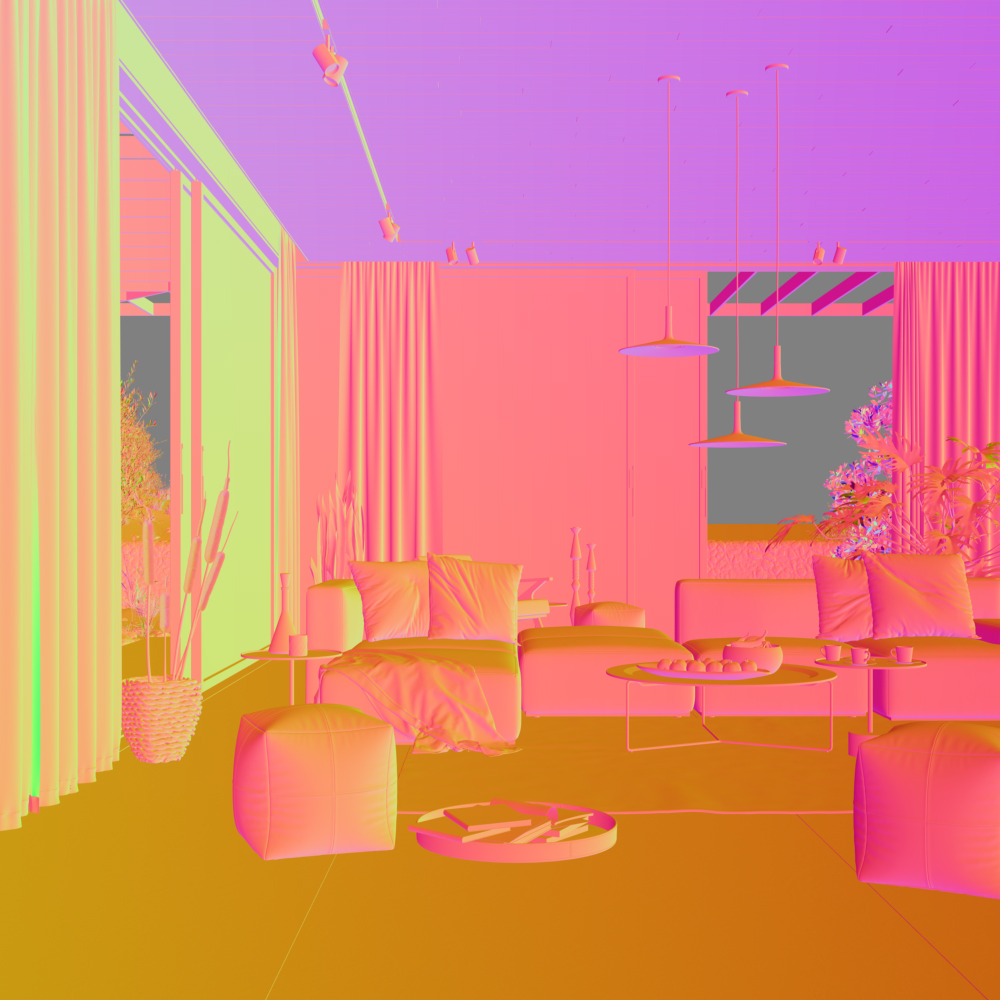
Refraction vector Type in world space
The following examples have the coordinate system set to object space.
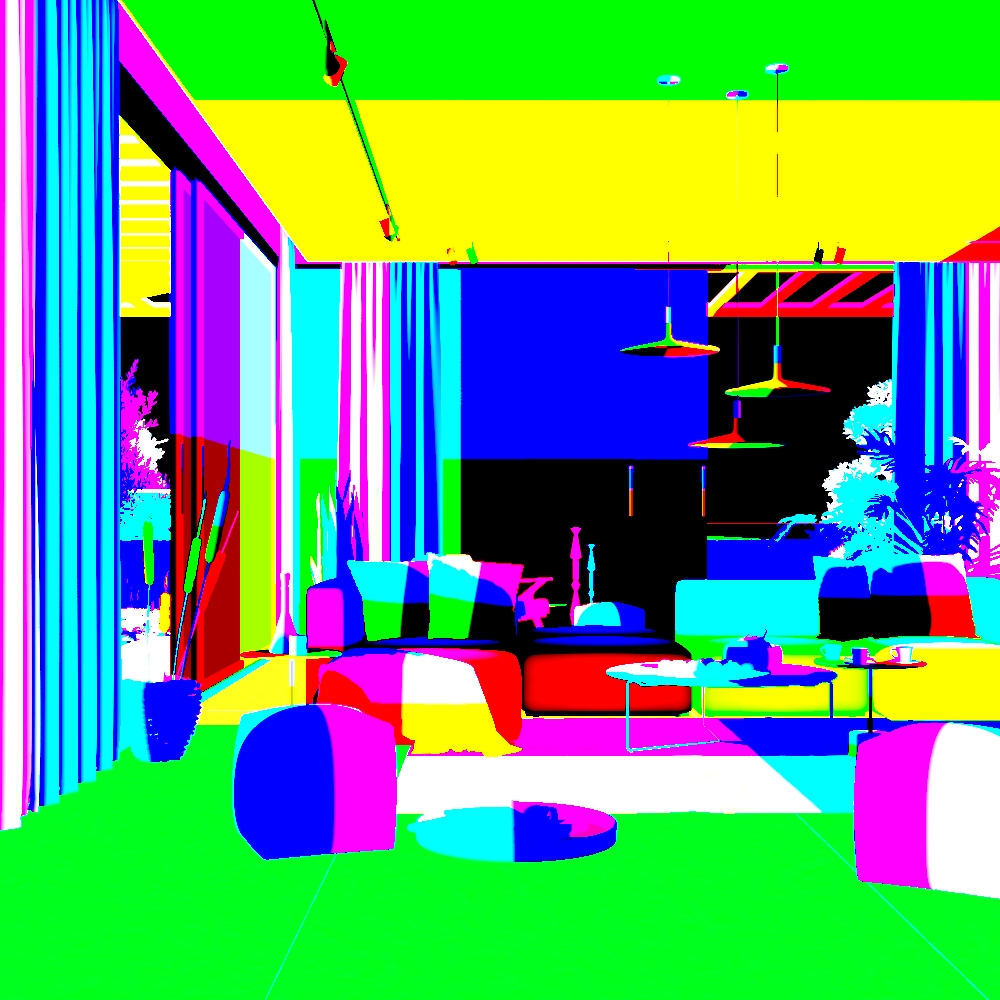
Point Type in object space
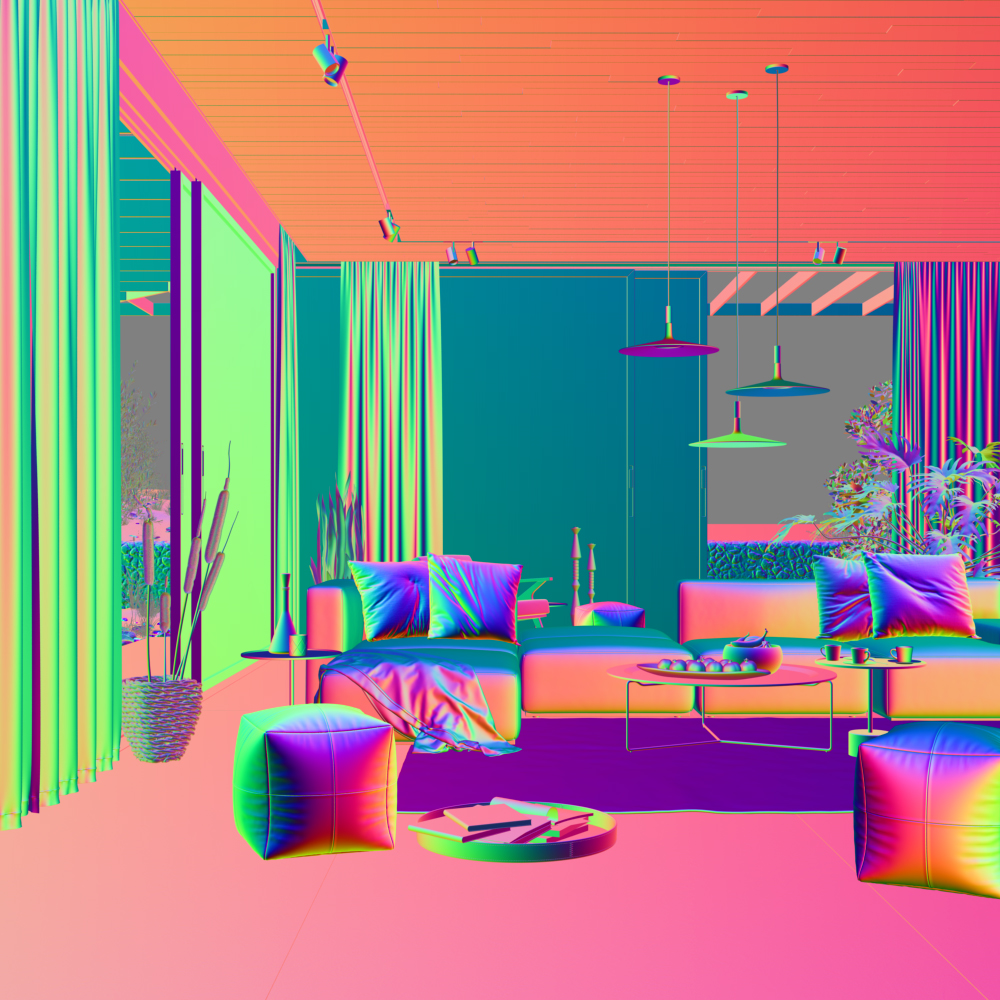
Reflection vector Type in object space
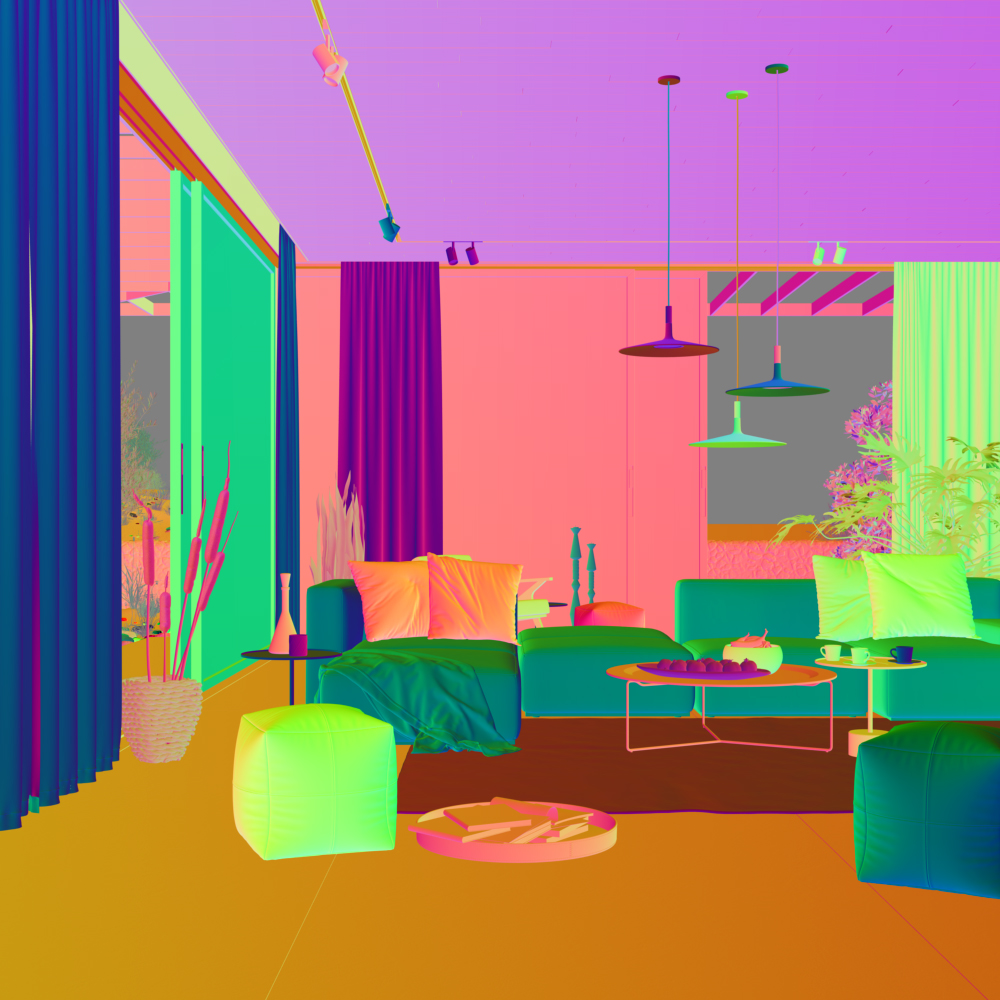
Refraction vector Type in object space
The following examples have the coordinates system set to camera space.
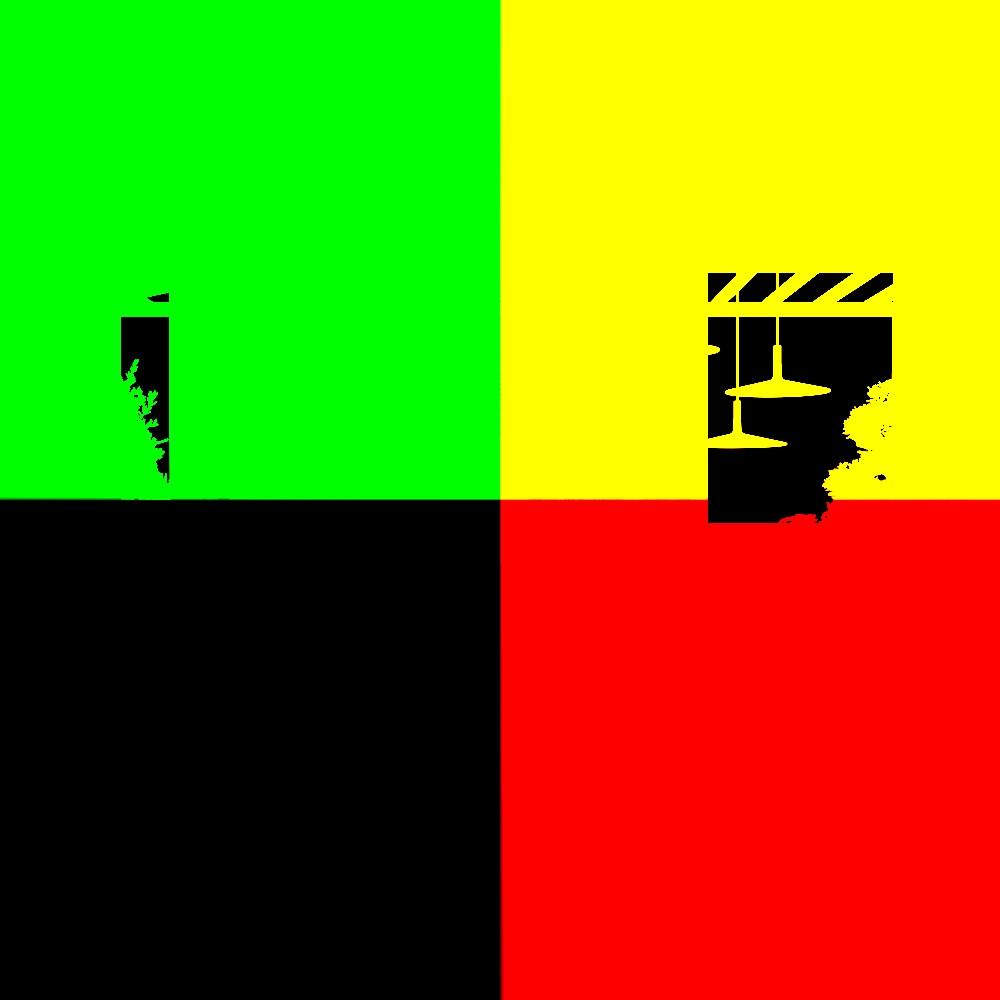
Point Type in camera space
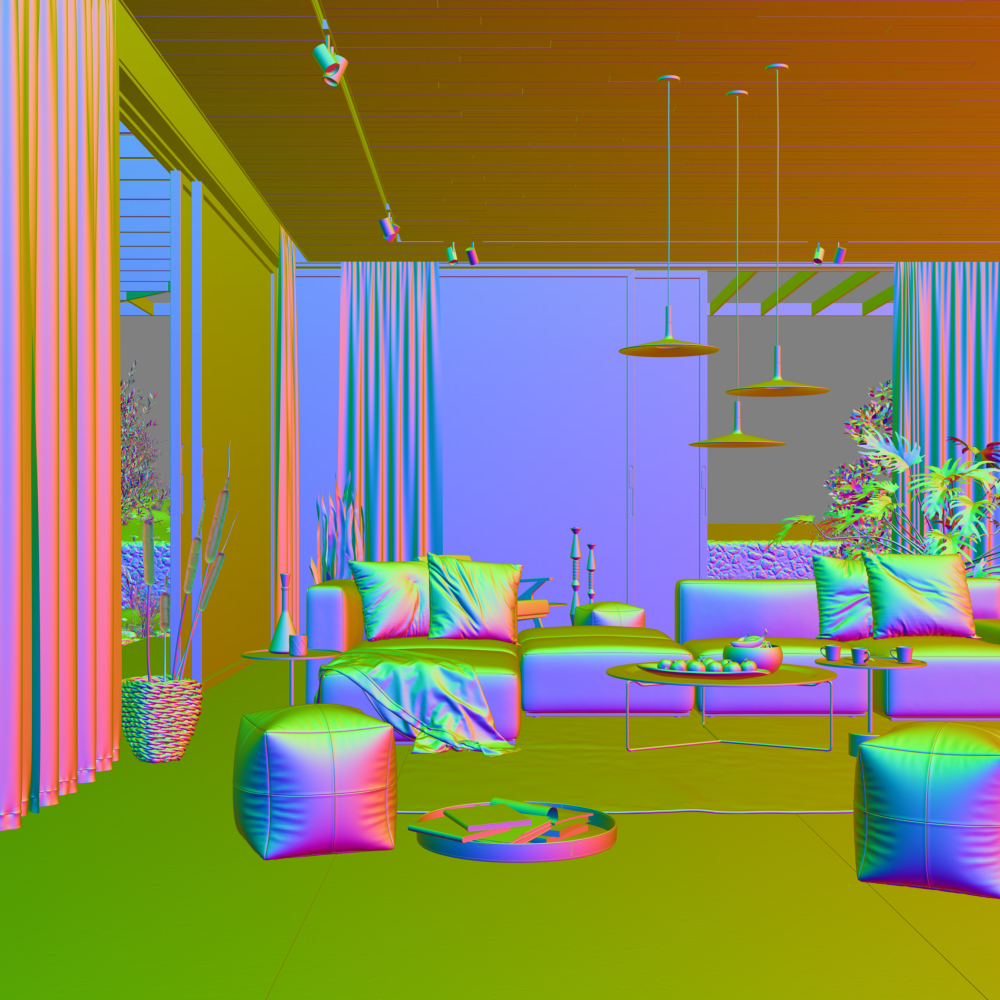
Reflection vector in camera space
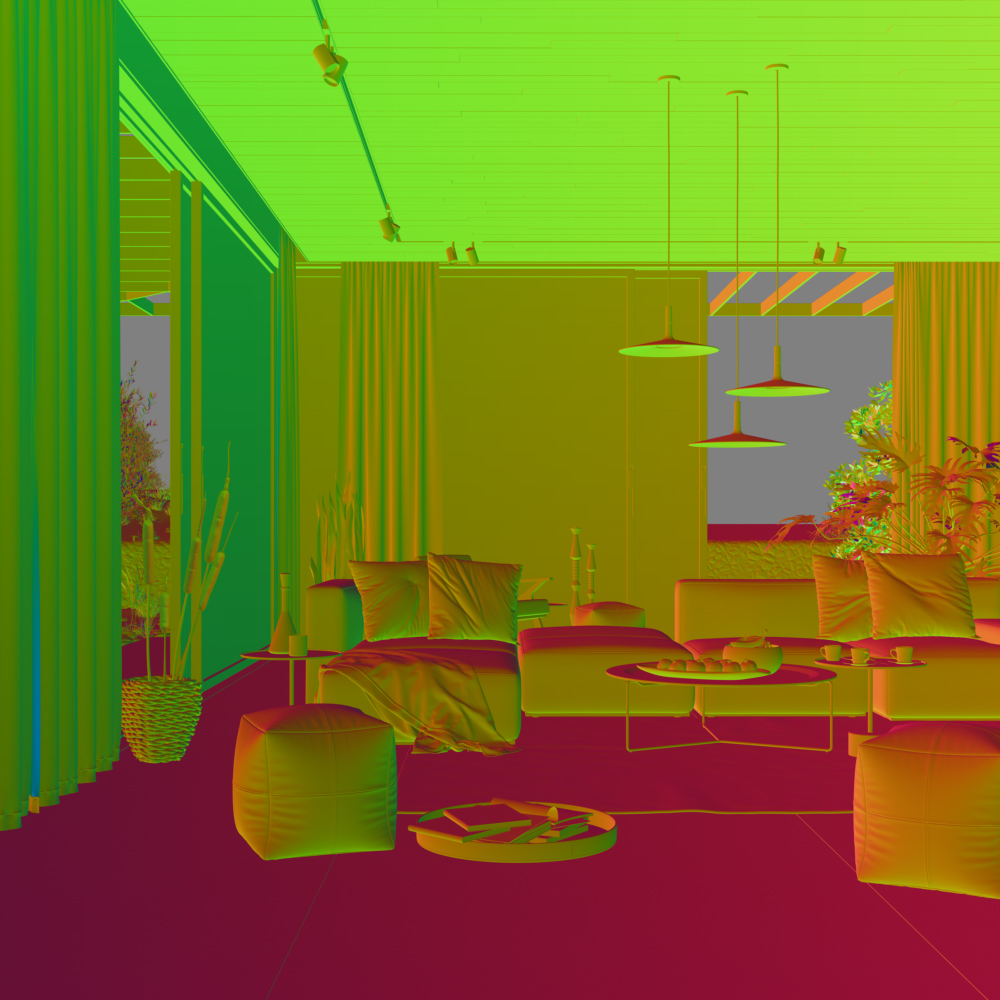
Refraction vector in camera space
The following examples have the coordinates system set to relative space.
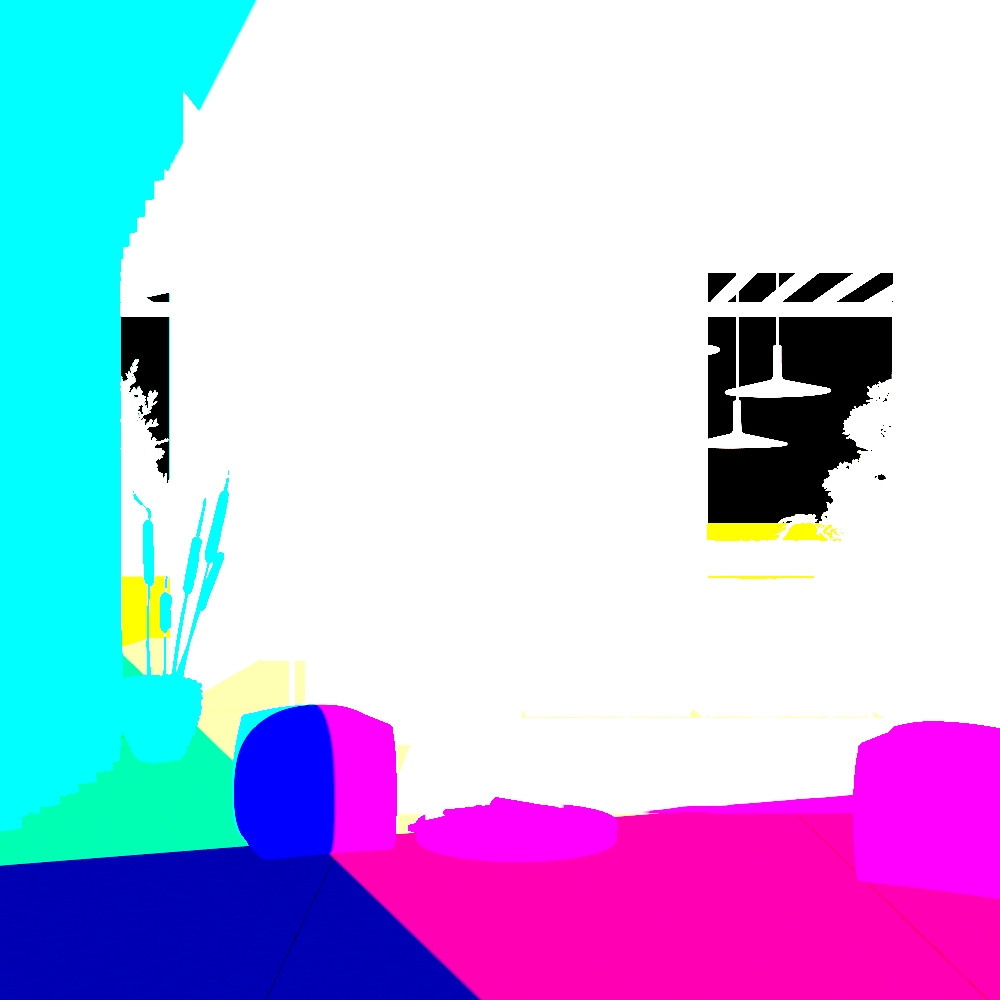
Point Type in relative space
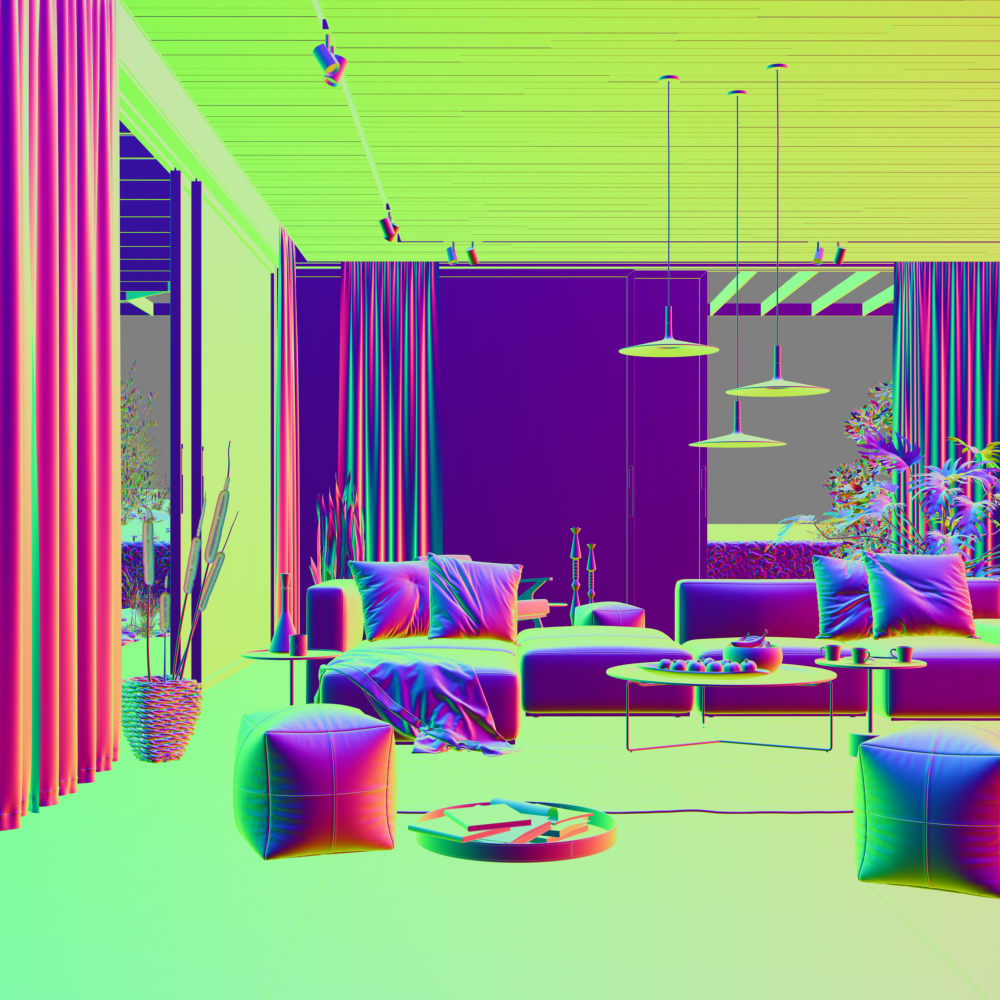
Reflection vector Type in relative space
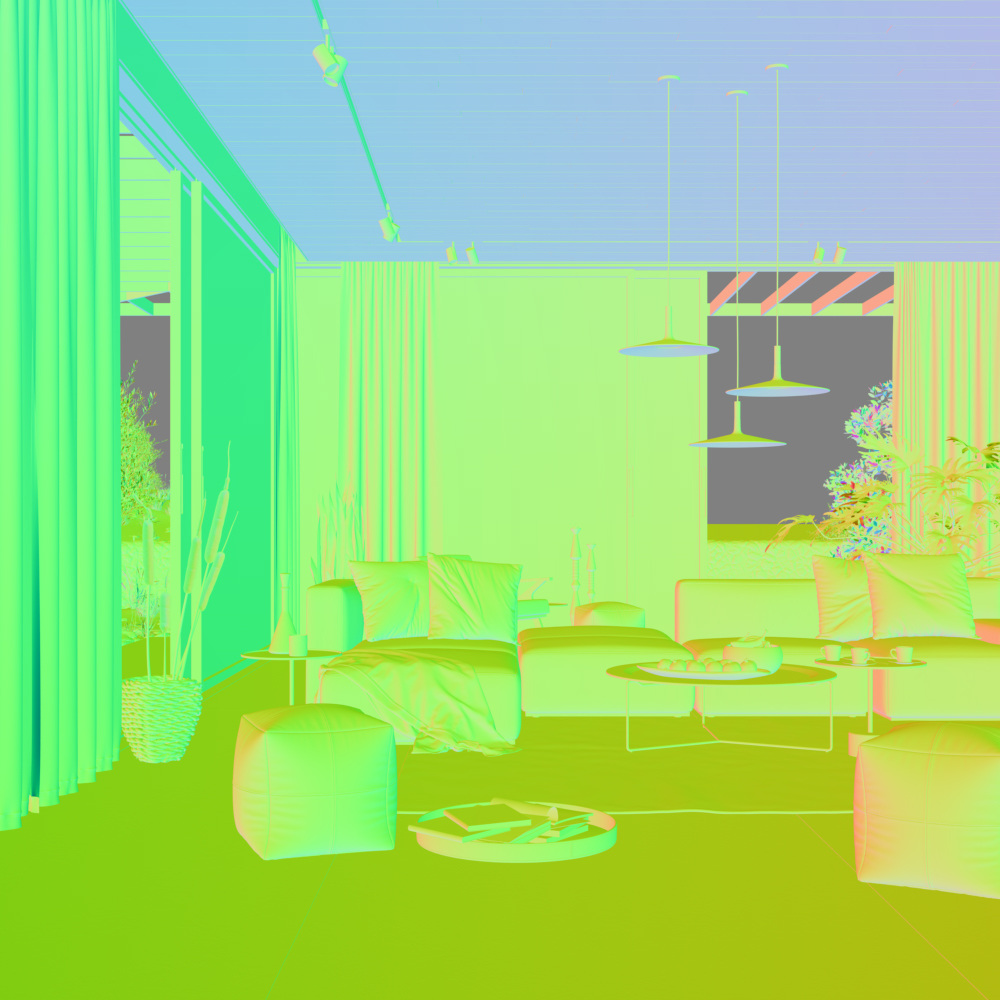
Refraction vector Type in relative space
Example: Re-texturing in composite
Using the VRaySamplerInfo Render Element makes it possible to apply a new texture to an already rendered still or sequence via setting its Type to UVW coordinates. This then enables the creation of what effectively amounts to a new Diffuse Filter Render Element which can then be used in a composite, enabling a change of texture to be easily made. It is worth noting that any UV stretching on the model carries through into the UVW pass created by the VRaySamplerInfo. See the render before and after compositing.BeforeAfter


Supported UVW Coordinate Types
The table below provides some details on the supported UVW coordinate types within the Sampler Info Render Element. Pass types such as Normal, Normal vector with bump mapping, World coordinates and Point can be used to relight a scene at a composite level. While UVW coordinates and Object coordinates can be used to re-texture items in a scene in composite. The Reflection vector type can be used to adjust or remap reflections, similarly the Refraction vector can do the same at a composite level for refractions. Some types such as the Forward occlusion and Backwards occlusion can be used together for denoising and/or post-process motion blur.
The Integer ID from node user attribute can be used as an extended Object ID and the Float number from node user attribute can used to extract additional masks.
|
Pass Type |
Coord. System |
UVW Mode |
Output |
V-Ray Render |
V-Ray GPU |
|
Point |
World |
|
|
||
|
Point |
Object |
|
|
||
|
Point |
Camera |
|
|
||
|
Point |
Relative |
|
|
||
|
Normal |
World |
Vector (signed) or Color (unsigned) |
|
PARTIAL |
|
|
Normal |
Object |
Vector (signed) or Color (unsigned) |
|
|
|
|
Normal |
Camera |
Vector (signed) or Color (unsigned) |
|
PARTIAL |
|
|
Normal |
Relative |
Vector (signed) or Color (unsigned) |
|
PARTIAL |
|
|
Reflection |
World |
Vector (signed) or Color (unsigned) |
|
|
|
|
Reflection |
Object |
Vector (signed) or Color (unsigned) |
|
|
|
|
Reflection |
Camera |
Vector (signed) or Color (unsigned) |
|
|
|
|
Reflection |
Relative |
Vector (signed) or Color (unsigned) |
|
|
|
|
Refraction |
World |
Vector (signed) or Color (unsigned) |
|
|
|
|
Refraction |
Object |
Vector (signed) or Color (unsigned) |
|
|
|
|
Refraction |
Camera |
Vector (signed) or Color (unsigned) |
|
|
|
|
Refraction |
Relative |
Vector (signed) or Color (unsigned) |
|
|
|
|
UVW coordinates |
Normal |
|
|
||
|
UVW coordinates |
Clamp |
|
|
||
|
UVW coordinates |
Tile |
|
|
||
|
Normal vector with bump mapping |
World |
Vector (signed) or Color (unsigned) |
|
|
|
|
Normal vector with bump mapping |
Object |
Vector (signed) or Color (unsigned) |
|
|
|
|
Normal vector with bump mapping |
Camera |
Vector (signed) or Color (unsigned) |
|
|
|
|
Normal vector with bump mapping |
Relative |
Vector (signed) or Color (unsigned) |
|
|
|
|
Backwards occlusion |
|
|
|||
|
Forward occlusion |
|
|
|||
|
Integer ID from node user attribute |
|
|
|||
|
Float number from node user attribute |
|
|

