VRayTriplanarTex
This page provides information on Triplanar Texture Mapping.
Overview
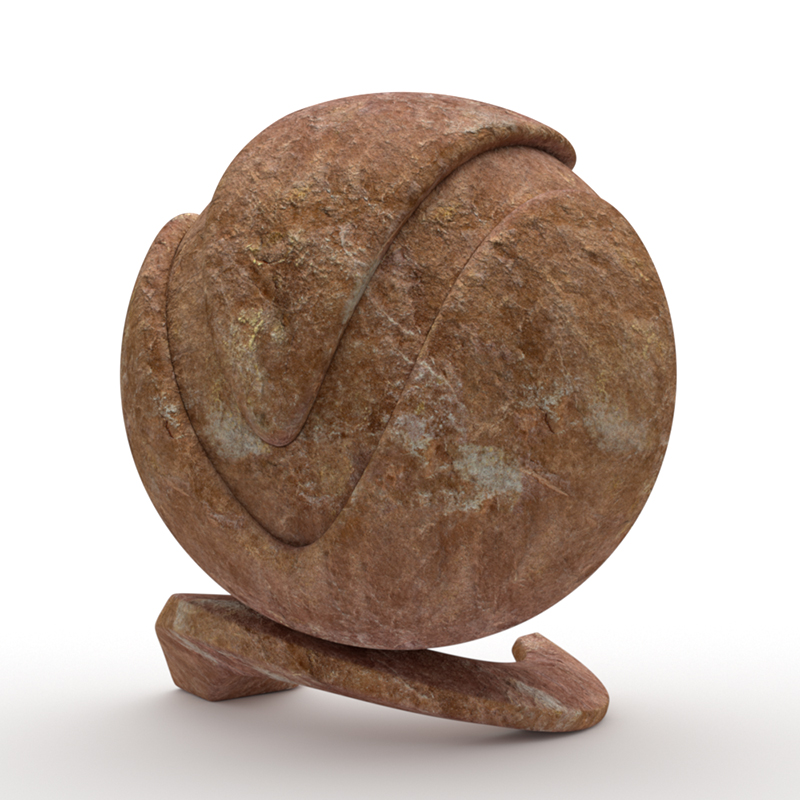
The VRayTriplanarTex texture allows quick assignment of bitmap and other 2D textures on objects that do not have suitable UV coordinates. The texture works by projecting one or more textures along the object-space axes depending on the surface normals of the shaded object. In the example shown here a stone texture was used in the diffuse channel on all 3 axis.
The texture works both for colors and bump maps.
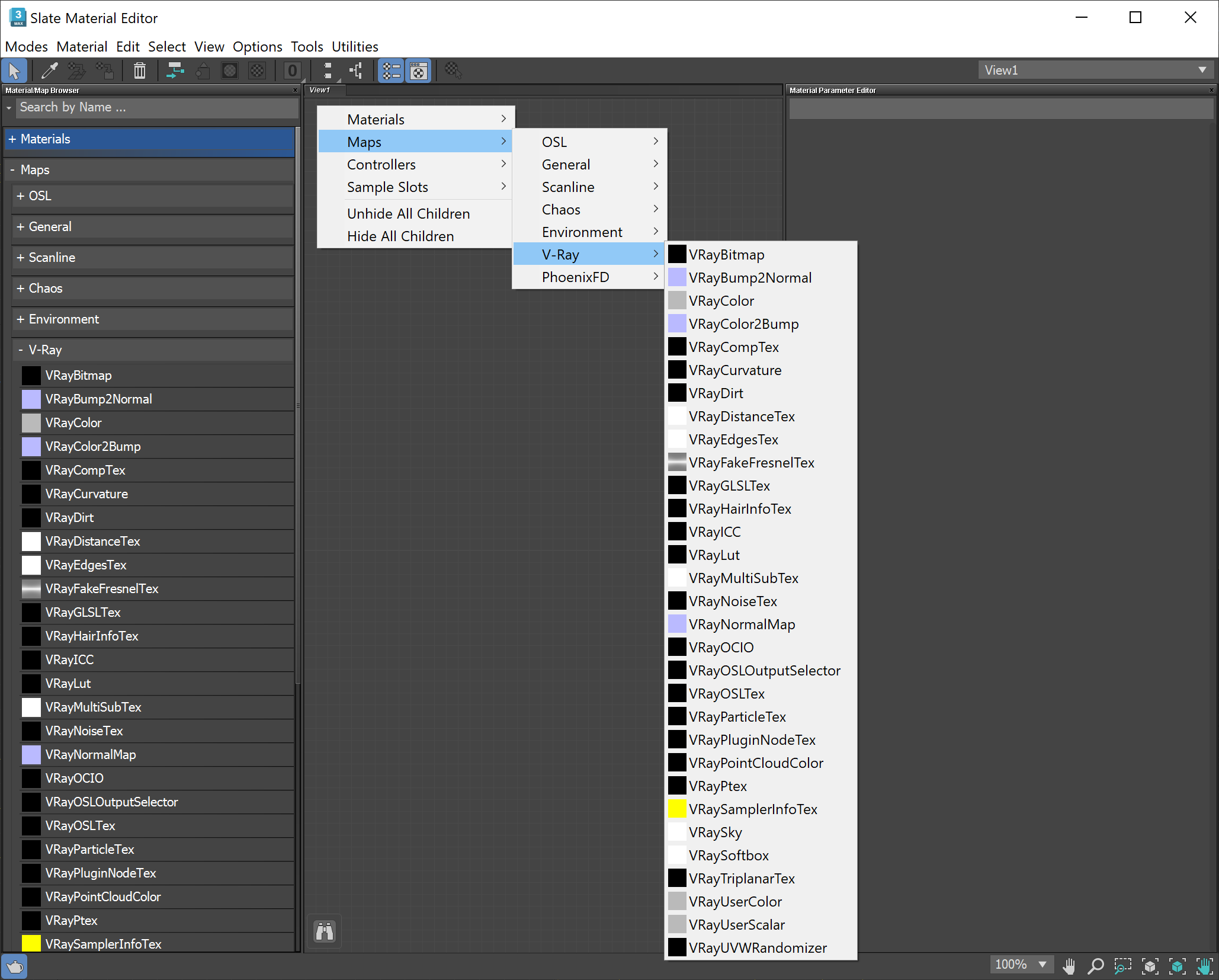
UI Path: ||Material Editor|| > Material/Map Browser > Maps > V-Ray > VRayTriplanarTex
Parameters
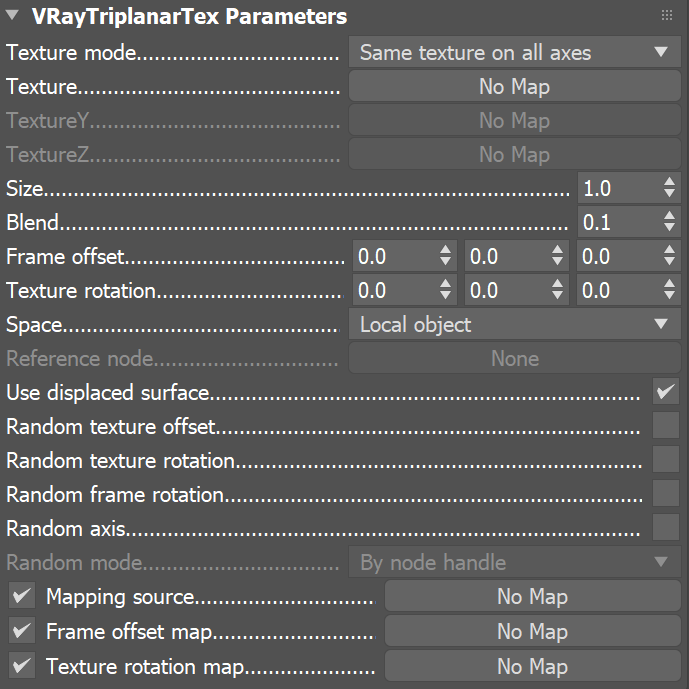
Texture mode – Specifies whether to use one or three textures for the different projection axes.
Same texture on all axes – Projects the same texture along each local axis.
Different texture on each axis – Uses a different texture along each axis.
Texture – Specifies the texture to project. When the Texture mode is Different texture on each axis, this is the texture for the X axis.
Texture Y – Specifies the texture to project along the Y axis when the Texture mode is Different texture on each axis.
Texture Z – Specifies the texture to project along the Z axis when the Texture mode is Different texture on each axis.
Size – Adjusts the size of the texture in scene units.
Blend – Controls the blend between the different projections. Lower values produce sharper transitions between projections.
Frame offset – Moves the point relative to which the textures are projected. The 3D space for this offset depends on the Space parameter.
Texture rotation – Specifies rotation (in degrees) for the projected textures around the respective projection axis. If Random texture rotation is enabled, non-zero components of this parameter specify increments for the rotation.
Space – Specifies the projection space:
Local object – The projection is done in local object space. When the object is moved/rotated/scaled, the texture moves with it.
Reference to another node – The projection is done in the local space of another node in the scene. If no node is specified, world space is used. This mode is useful when several objects need to be mapped with the same triplanar texture and to show consistent mapping.
Reference node – Specifies the node from the scene when the Space is Reference to another node. If no node is specified, world space is used.
Use displaced surface – Uses the displaced geometry to calculate triplanar mapping if there is displacement. When disabled, the triplanar uses the geometry before displacement.
Random texture offset – Randomizes the texture offset based on the Random mode.
Random texture rotation – Randomizes the texture rotation based on the Random mode. The rotation can be locked to specific increments (i.e. 45 degrees only, or 90 degrees only) by setting the Texture rotation components to the desired increments for the different axes.
Random frame rotation – Randomly rotates the entire projection space based on the Random mode.
Random axis – Randomly permutes the projection axes based on the Random mode.
Random mode – Specifies how to generate the random seed needed for the various randomizations:
By face ID – Computes the seed based on the face material ID of the mesh;
By render ID – Computes the seed based on the render ID of the objects;
By particle ID – Computes the seed based on the particle ID of the objects;
By instance ID – Computes the seed based on the instance ID of the objects;
By element – Computes the seed based on the elements order in the object;
By node handle – Computes the seed based on the node ID (a unique number assigned to the node when created) assigned.
Mapping source – Works only with VRayUVWRandomizer texture. When enabled, performs mapping randomization based on additional modes available in the linked VRayUVWRandomizer texture, e.g. by name, by object ID, etc.
Frame offset map – Allows Random texture offset to be controlled by a texture.
Texture rotation map – Allows Random texture rotation and Random frame rotation to be controlled by a texture.
Example: Texture mode
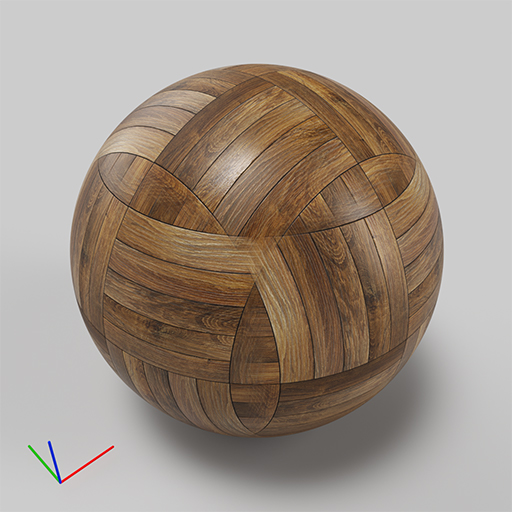
Texture mode is Same texture on all axes
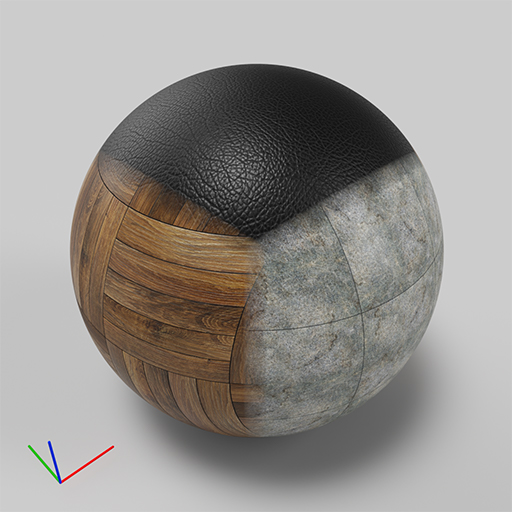
Texture mode is Different texture on each axis
and different textures were specified for the X, Y, Z axes
Example: Size
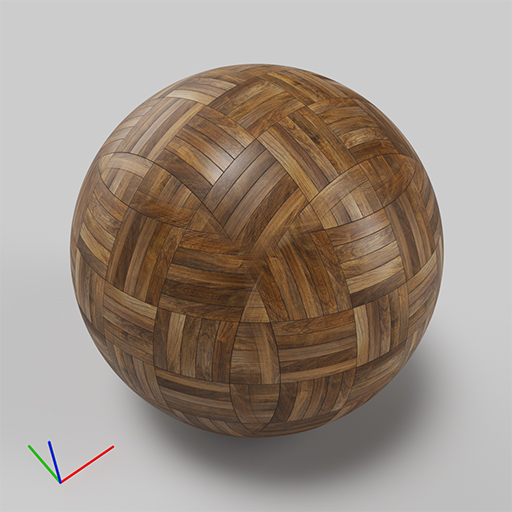
Size is 25cm
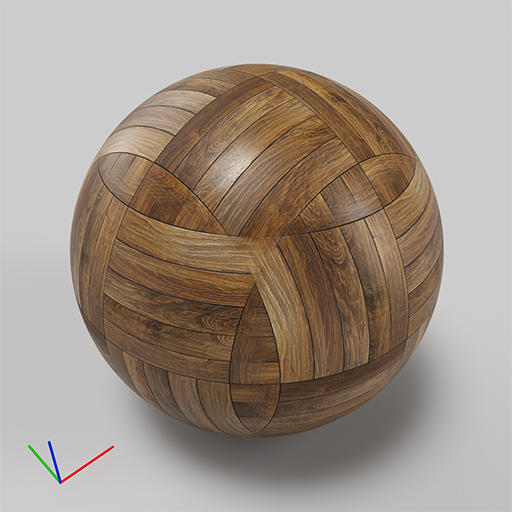
Size is 50cm
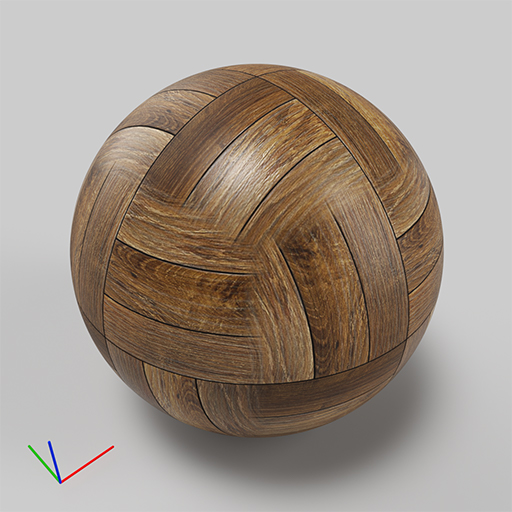
Size is 100cm
Example: Blend
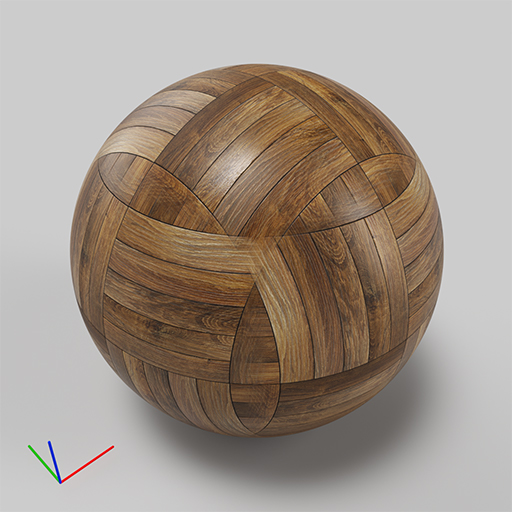
Blend is 0.1
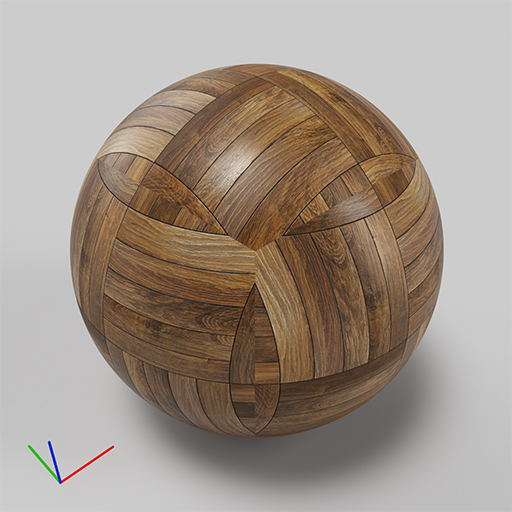
Blend is 0.0
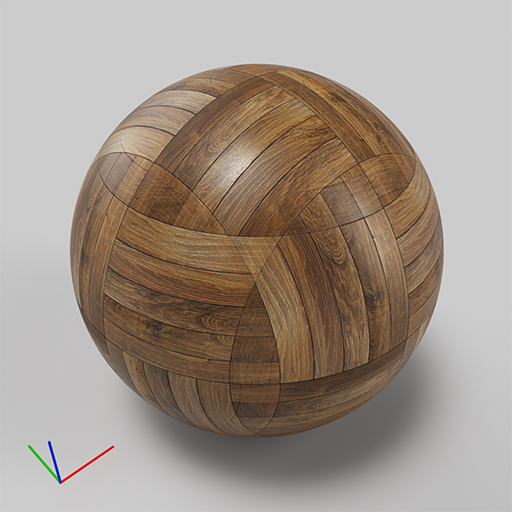
Blend is 0.3
Example: Texture rotation
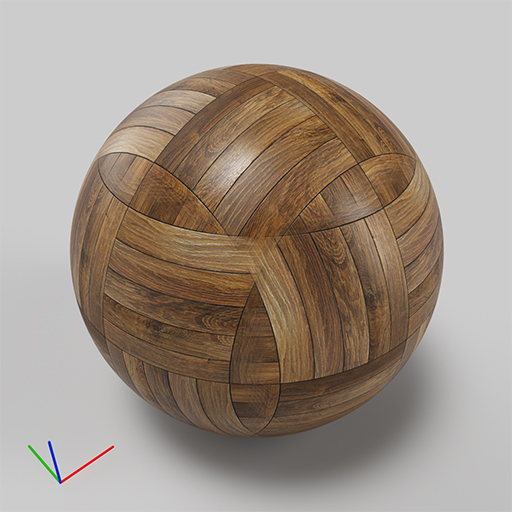
Texture rotation is 0, 0, 0
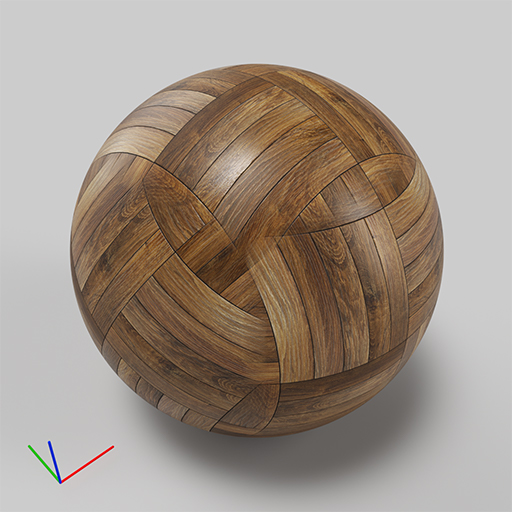
Texture rotation is 30, 0, 0
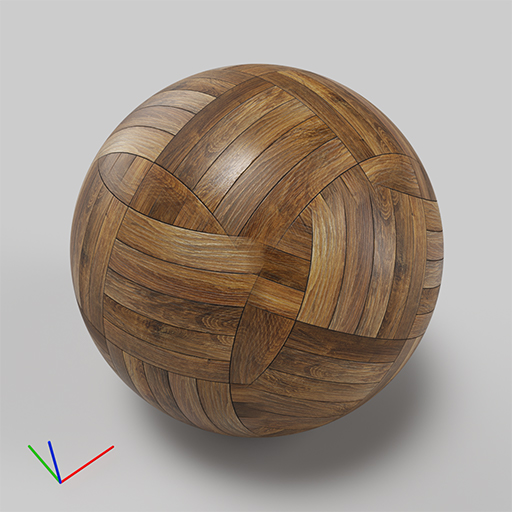
Texture rotation is 0, 30, 0
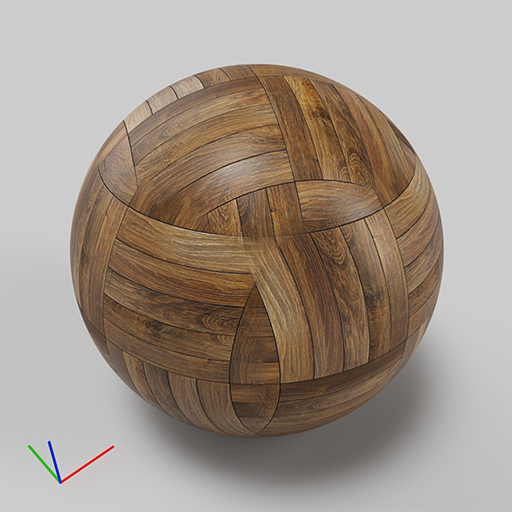
Texture rotation is 0, 0, 30
Example: Space
This example shows the effect of the Space parameter; the texture used for the projection is a radial gradient map.
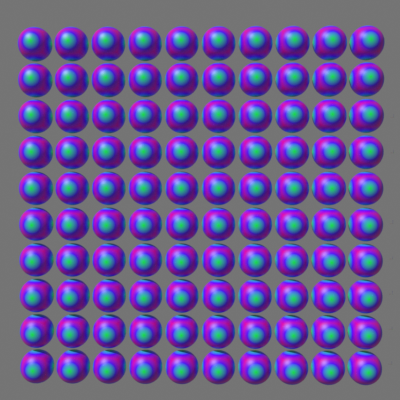 Space is Local object; the gradient is mapped separately on each sphere
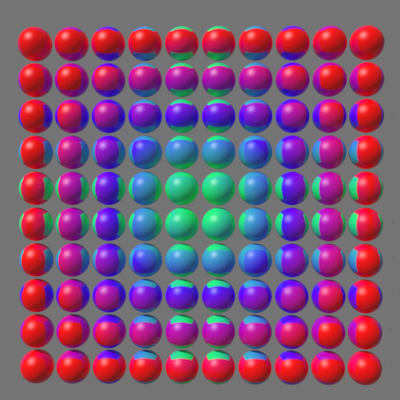 Space is Reference to another node; the node is a Dummy helper placed in the middle of the spheres.
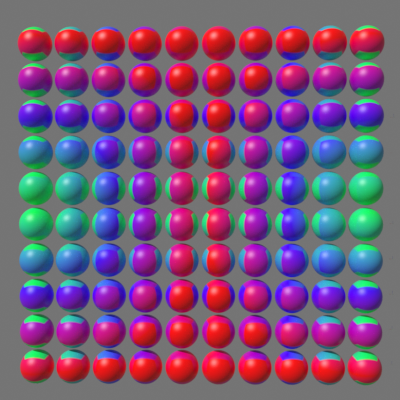 Space is Reference to another node; the Dummy helper is moved to the leftmost column of spheres.
Example: Randomizations
This example shows the effect of the different randomization options; the Random mode is set to By render ID and the Space is Reference to another node.
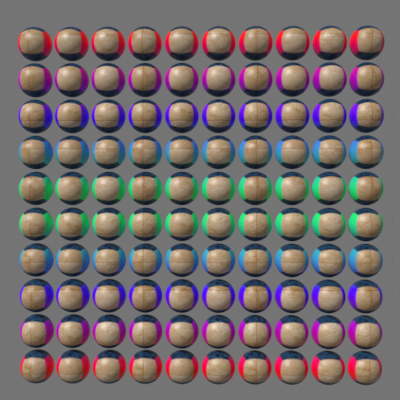 no randomizations
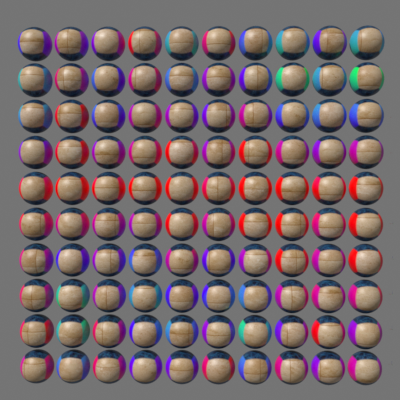 Random texture offset is enabled
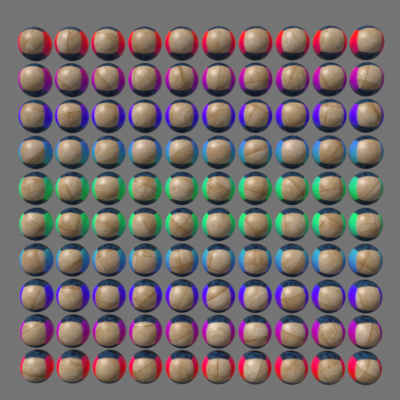 Random texture rotation is enabled
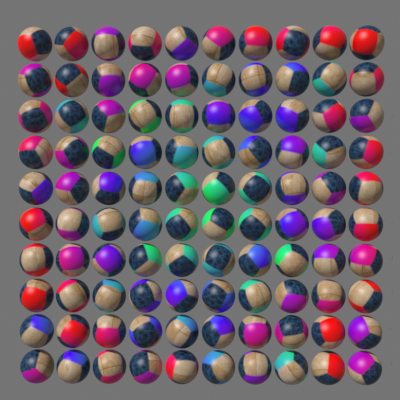 Random frame rotation is enabled
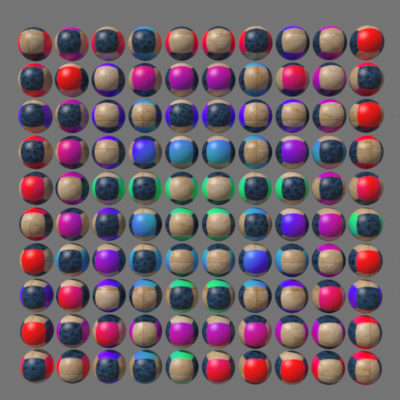 Random axis is enabled
Notes
When using V-Ray GPU, the VRayTriplanarTex works fine for bump with bitmaps only. If other maps are incorporated in it, then you have to add a VRayColor2Bump map directly in the bump slot of the material (and pass the VRayTriplanarTex through it) to make it work properly.
If you wish to use a VRayNormalMap with VRayTriplanarTex in a material, assign the VRayNormalMap to the VRayTriplanarTex Texture map slot and then use the VRayTriplanarTex in your material. Linking in the other direction is not recommended.