VRayFakeFresnelTex
This page describes the VRayFakeFresnelTex map.
Overview
VRayFakeFresnelTex is a texture that renders a Fresnel effect but with several parameters that can be controlled directly. It provides means to control the reflection intensity and curve with exact values.
While VRayFakeFresnelTex can be used in any map channel, it is intended for use in a reflection channel such as the Reflect channel in a VRayMtl.
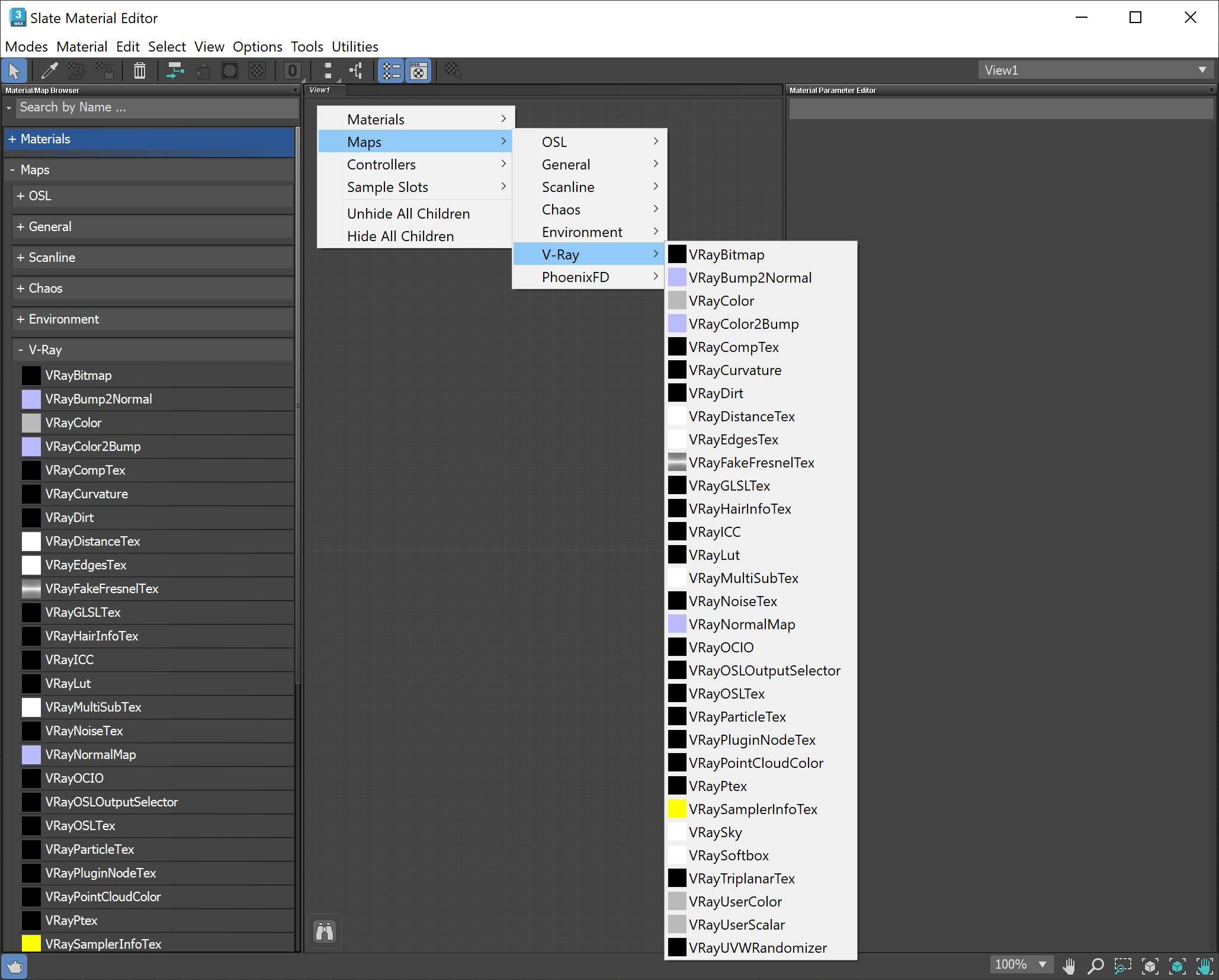
UI Path: ||Material Editor|| > Material/Map Browser > Maps > V-Ray > VRayFakeFresnelTex

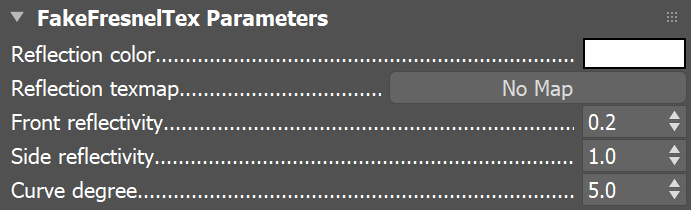
Parameters
Reflection color – The color of the reflection.
Reflection texmap – Specifies the map to use (if any) to set the Reflection color.
Front reflectivity – Sets the level of reflectivity for faces that face the viewing angle. Values can range from 0.0 to 1.0, with 1.0 setting the highest degree of reflectivity.
Side reflectivity – Sets the level of reflectivity for faces that face away from the viewing angle at a 90-degree angle. Values can range from 0.0 to 1.0, with 1.0 setting the highest degree of reflectivity.
Curve degree – Sets the degree of curvature for the curve that interpolates the Front and Side reflectivity. Values can range from 0.0 to 100.0.
Example: VRayFakeFresnelTex vs. Fresnel Reflections
One use of VRayFakeFresnelTex is to give a VRayMtl a stronger Fresnel effect on reflections than the Fresnel reflections option. Below is a simplified example to show how VRayFakeFresnelTex changes the degree of reflectivity on a spherical object.
A VRayMtl is applied to both objects below, with different material setups. Where VRayFakeFresnelTex is used, the front of the object (the part that faces the camera) is much less reflective than the sides of the object. The degree of reflectivity set by VRayFakeFresnelTex affects both the reflected background and the reflection of the rectangular light source.
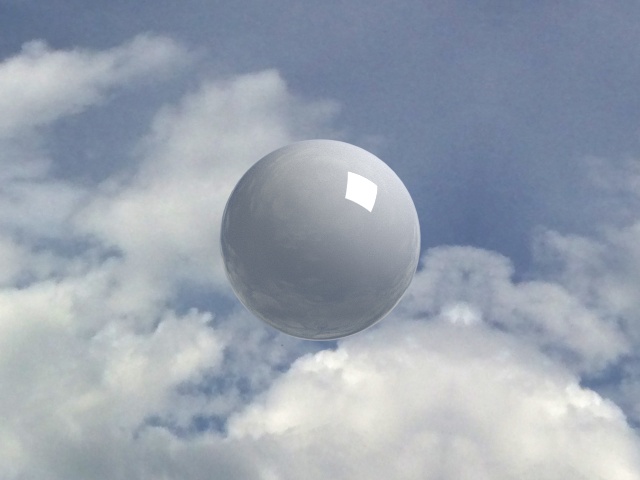
VRayMtl
with white
Reflect
color,
Fresnel reflections
enabled
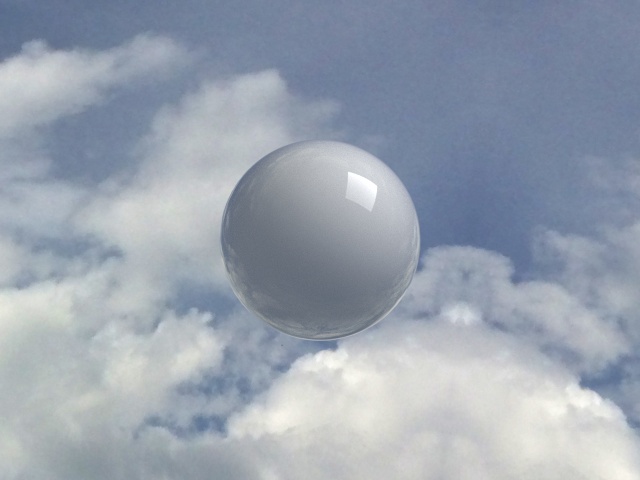
VRayMtl with VRayFakeFresnelTex map in Reflect channel, Fresnel reflections
disabled
Front reflectivity = 0.01
Side reflectivity = 1.0
Curve degree = 3.0
Notes
While VRayMtl's Fresnel reflections option does provide an automatic Fresnel reflection effect based on the material's Fresnel IOR, the VRayFakeFresnelTex enhances the effect and gives you direct control over the degree of reflectivity and interpolation curve.