VRaySSS2
This page gives information on the Subsurface Scattering Render Element.
Overview
The VRaySSS2 Render Element stores information calculated from Subsurface Scattering materials (VRayAlSurfaceMtl and VRayFastSSS2) . This render element can then be used to enhance or color-correct just the subsurface scattering component of the image during the compositing process.
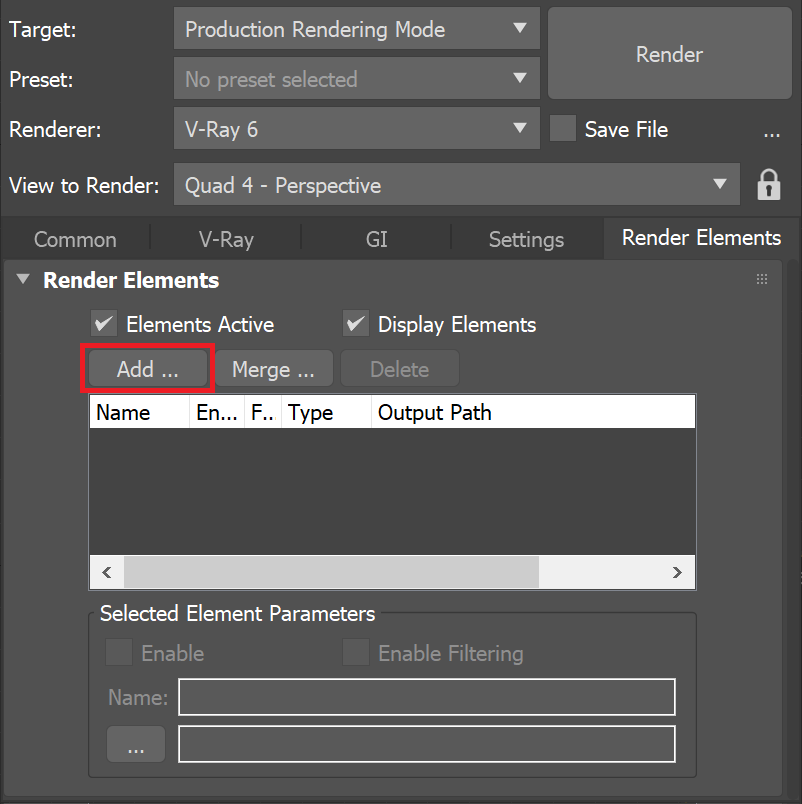
UI Path: ||Render Setup window|| > Render Elements tab > Add button > VRaySSS2

Parameters
This render element is enabled through the Render Elements tab of the Render Setup window in 3ds Max and displays its parameters in a rollout at the bottom of the window:
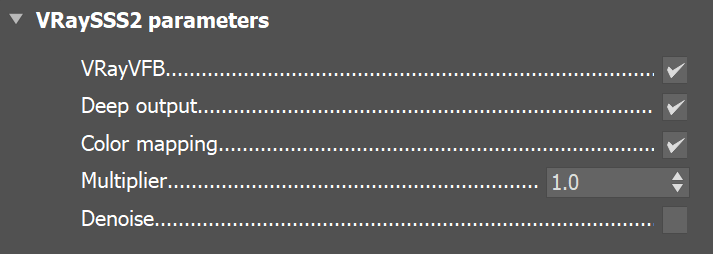
VRayVFB – When enabled, the render element appears in the V-Ray Virtual Frame Buffer.
Deep output – Specifies whether to include this render element in deep images.
Color mapping – Applies the color mapping options specified in the Color mapping rollout (Render Setup window > V-Ray tab) to this render element. This option is enabled by default.
Multiplier – Sets the overall intensity of the render element, where 1.0 is the standard multiplier.
Denoise – Specifies whether to denoise this render element.
Common Uses
The Subsurface Scattering Render Element is useful for changing the appearance of SSS2 elements, after rendering, in a compositing or image editing software. In the example, the scattering color is changed to red using the SSS2 RE. See the render before and after compositing.BeforeAfter


Compositing Formula
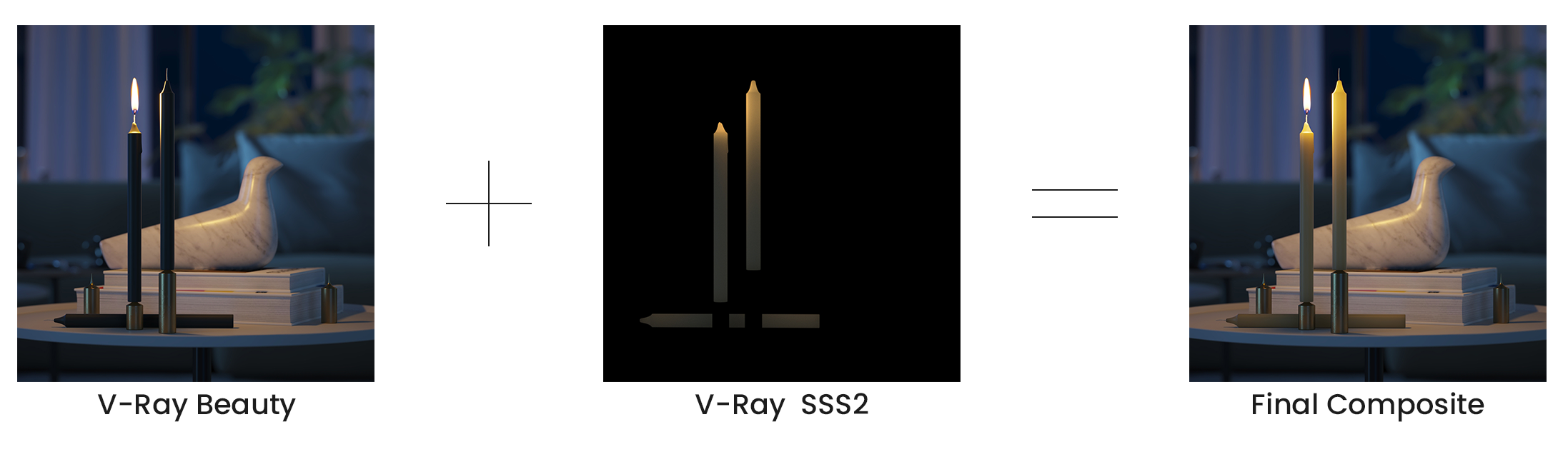
The VRaySSS2 Render Element is added to the Beauty composite to form the final image.